What is VoIP and how does it actually work?
By Jamila Parker · · 8 min read

VoIP turns your voice into digital data and sends it over an internet connection instead of a traditional copper phone line. Here is the plain-English journey of a VoIP and what businesses need for reliable calling.
Key takeaways
- VoIP means Voice over Internet Protocol: voice is sent as digital data instead of over a dedicated copper phone line.
- A VoIP call uses signalling to establish the session and a media stream to carry the actual audio.
- Businesses can call from IP desk phones, computers, browsers and mobile apps using the same cloud phone system.
- Call quality depends heavily on latency, jitter, packet loss and network consistency—not only advertised internet speed.
VoIP, short for Voice over Internet Protocol, is a way to make and receive phone calls using an IP network instead of a dedicated copper telephone line. In everyday terms, it lets your voice travel as internet data. The person on the other end still hears a normal conversation, but behind the scenes your speech is converted into digital audio, split into data packets, routed across a network, and rebuilt almost instantly.
That simple change from a fixed telephone circuit to software-driven data—explains why modern business phone systems can work on desk phones, laptops, browsers and mobile apps. It also explains why features such as call routing, shared team inboxes, analytics, CRM integrations and AI call summaries can sit alongside ordinary voice calling rather than requiring a separate box of telephone hardware in the office.
The short answer: how does VoIP work?
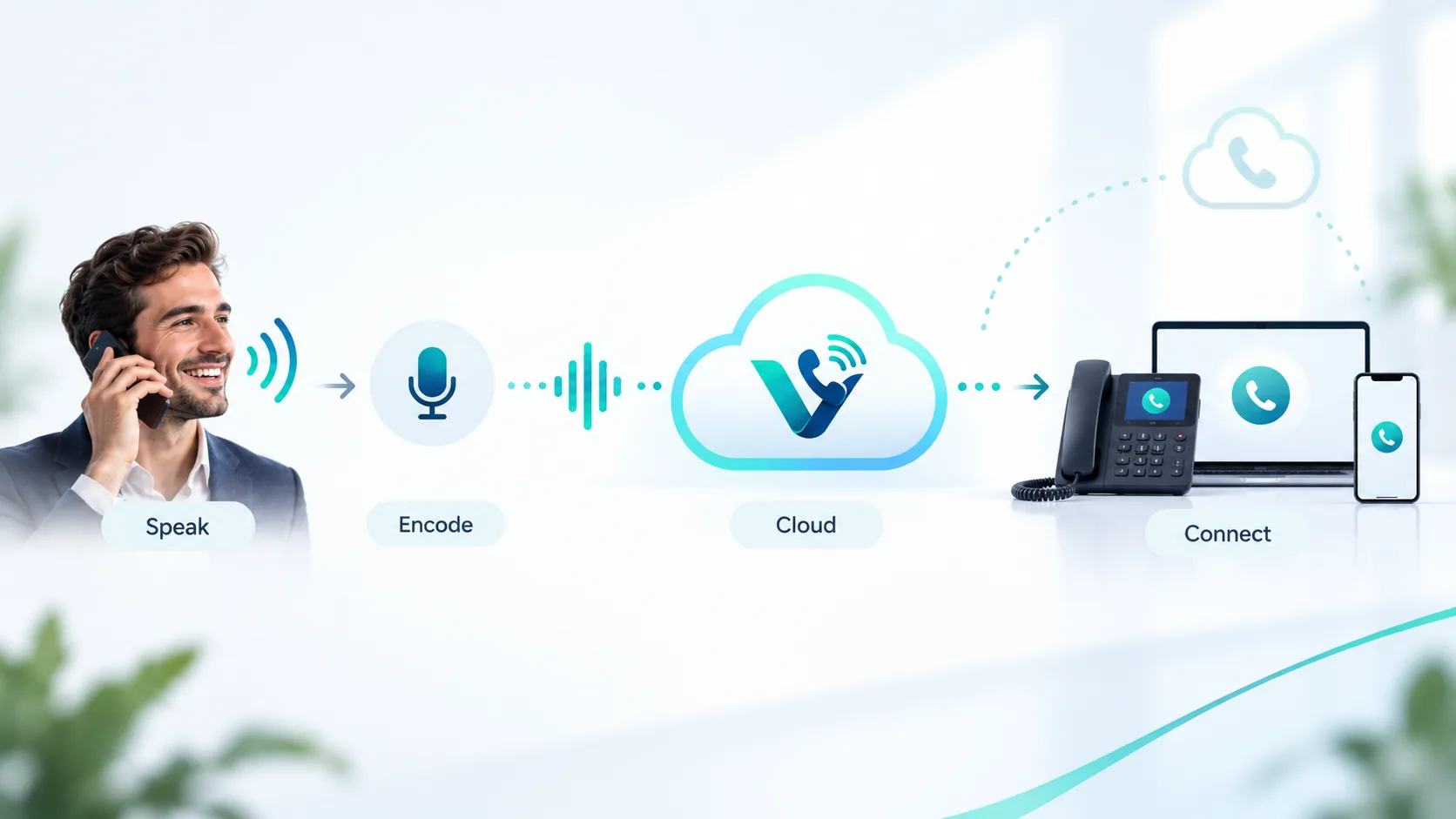
A VoIP call usually follows five basic steps: your microphone captures your voice; software or a phone converts that sound into digital audio; a codec compresses the audio; the system sends the information as IP packets across the network; and the receiving device reassembles those packets into sound. Signalling technology handles the setup and ending of the call, while a media stream carries the actual conversation.
1. You speak into a VoIP desk phone, headset, browser or mobile app.
2. The device digitises and compresses your voice using an audio codec.
3. The call is broken into small packets with addressing information.
4. Those packets travel through your local network, internet connection and VoIP provider infrastructure.
5. The packets are put back in order and converted into audio for the person you called.
What happens from the moment you dial?
The easiest way to understand a VoIP phone system is to follow one call. Imagine a sales rep in London opens a browser-based business phone app and dials a customer in New York. The number is not tied to a single physical cable in the office. Instead, the app registers with a cloud phone system and asks it to create a call session.
1. Call signalling sets up the conversation
Before audio starts flowing, the system has to identify the caller, understand the number being dialled, decide where the call should go and establish a session. SIP—Session Initiation Protocol—is commonly used for this signalling layer in business VoIP. Think of signalling as the control conversation: who is calling, who should ring, whether the call was answered, and when it ended.
2. Your voice becomes digital audio
Once the call connects, the microphone captures the sound of your voice. An audio codec encodes and compresses it so that it can move efficiently across a data network. Different codecs balance bandwidth, audio quality and resilience in different ways. Modern systems can provide wideband or HD voice when the network and endpoints support it.
3. Audio is divided into packets
Unlike a traditional circuit-switched call, VoIP does not reserve one physical path for the entire conversation. The encoded audio is divided into small packets. Each packet carries enough information to help the network move it toward the destination. Packets may take slightly different routes, which is why timing matters for voice traffic.
4. The network transports the media
The audio packets travel through your router and internet connection to the provider network. Real-time media is commonly carried using RTP or a secure version of it. If both people are using compatible IP-based services, much of the journey may remain on IP networks. If the destination is a traditional landline or mobile network, a gateway can hand the call off to the public telephone network so the two systems can talk to each other.
5. The receiving side rebuilds the conversation
At the destination, packets are reordered, decoded and played through the recipient’s speaker. A jitter buffer can smooth out small timing differences so speech sounds continuous rather than chopped into fragments. This entire process happens quickly enough that, on a healthy connection, the call feels immediate.
Want the benefits of VoIP without installing a physical PBX? Explore Votelly’s cloud phone system and see how browser, desktop and mobile calling can replace office-bound phone hardware. Check out: Cloud phone system
What equipment do you need for VoIP?
One reason business VoIP is popular is that the equipment list can be surprisingly short. You need a suitable internet connection, a VoIP service, and an endpoint for making calls. That endpoint can be an IP desk phone, a computer with a headset, a smartphone app, or even an analogue phone connected through an ATA adapter. In a cloud deployment, the PBX functions—extensions, menus, queues, schedules and routing rules can live in software rather than a telephone cabinet at your premises.
- Internet connection: broadband with enough consistent capacity for simultaneous calls.
- Endpoint: IP phone, desktop softphone, mobile app or browser-based dialler.
- Router and network: configured well enough to handle real-time voice traffic.
- VoIP provider or cloud PBX: manages numbers, users, call routing and connection to other telephone networks.
- Headset or handset: optional, but often improves comfort and audio consistency for teams that call all day.
Do VoIP calls always travel over the public internet?
Not necessarily. “Voice over IP” describes the use of Internet Protocol, not a requirement that every packet cross the open public internet from end to end. A business may carry voice across a local network, a provider-managed backbone, private connectivity and public internet links at different stages. The exact route depends on the provider and network design.
What decides VoIP call quality?
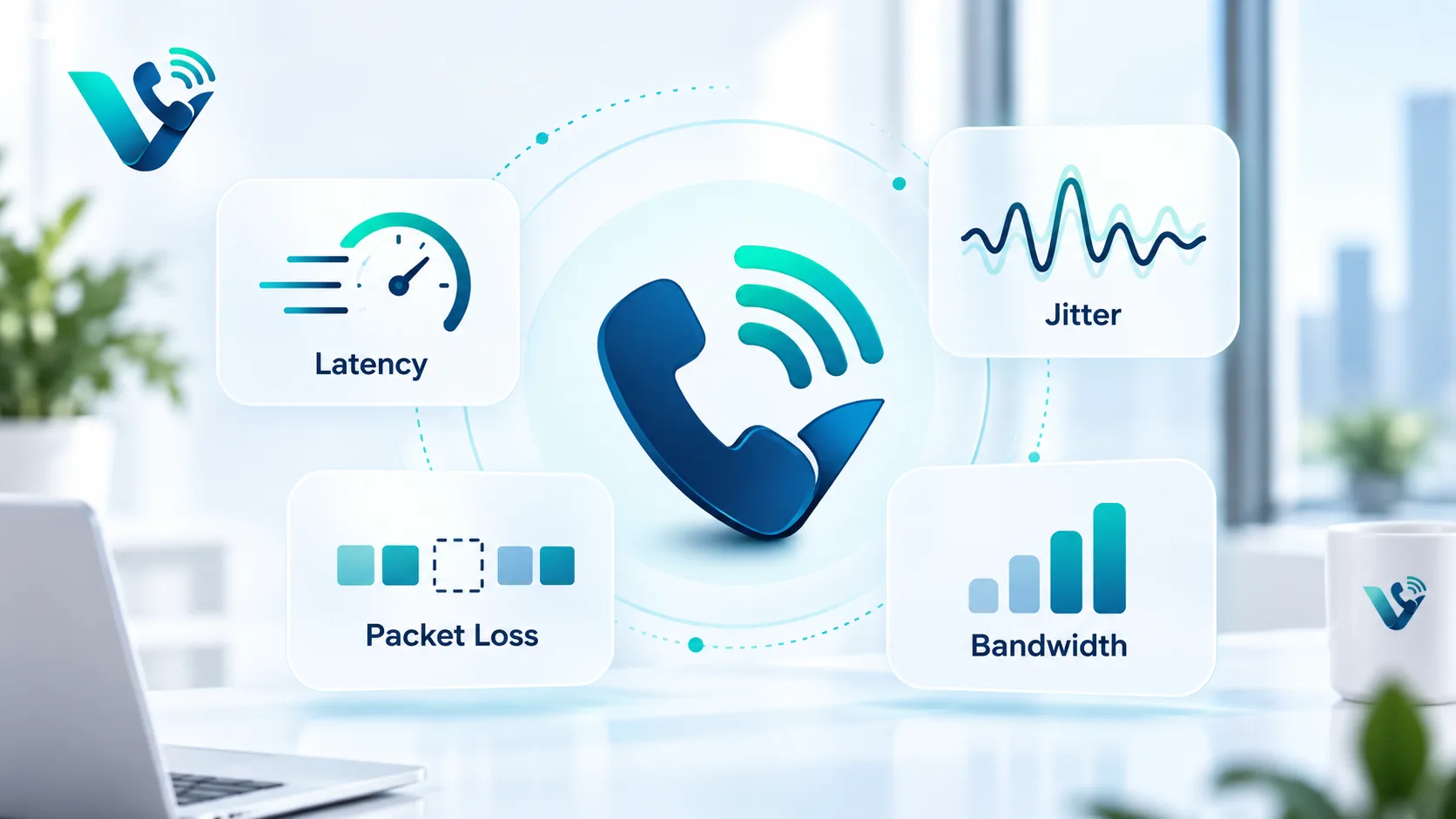
VoIP quality depends less on raw headline download speed than many people expect and more on consistency. Voice is real-time, so packets arriving too late are almost as unhelpful as packets that never arrive. The main network factors are latency, jitter and packet loss. Congestion, weak Wi-Fi, overloaded routers and poorly configured networks can all make a call sound robotic or cause short dropouts.
- Latency is the time it takes audio data to travel from one side to the other. Excessive latency creates awkward conversational delay.
- Jitter is variation in packet arrival timing. Jitter buffers help, but large swings can still damage audio quality.
- Packet loss happens when some packets never reach the destination. Small amounts may be concealed; larger loss creates missing or distorted speech.
- Bandwidth matters when many people are calling at the same time, especially alongside video meetings, uploads and other heavy traffic.
A well-designed business VoIP deployment therefore considers both the phone platform and the data network. Ethernet is often the most predictable option for fixed desks, while strong managed Wi-Fi can work well for mobile teams. Quality of Service policies can also prioritise real-time traffic when the local network is busy.
Why businesses use VoIP instead of a traditional phone system
The biggest difference is not simply that calls use the internet. It is that the phone system becomes software. A number can ring several devices, remote staff can use the same business identity, admins can change routing without rewiring an office, and new users can often be added without installing another physical line. This software layer also makes it easier to connect calling with customer records, reporting and automation.
- Location flexibility: employees can answer the business number from approved devices wherever they work.
- Scalability: adding users or numbers is usually a software change rather than a cabling project.
- Central management: call flows, hours, queues and permissions can be administered from one platform.
- Feature depth: voicemail transcription, analytics, call recording, shared inboxes and integrations can be built into the same service.
- International presence: virtual numbers can give teams local or toll-free numbers in markets where they sell and support customers.
For businesses operating across countries, a cloud platform can also separate the business number from the physical location of the employee answering it. Votelly, for example, currently lists virtual number coverage in 118 countries and provides a virtual phone number service designed for local presence across markets.
What happens if the internet goes down?
This is one of the most important operational differences from an old copper line. A cloud VoIP endpoint depends on network connectivity and usually on local power for the router, switch and device. Businesses should plan for failure rather than assume the connection will never go down. Common options include a second internet connection, mobile data backup, uninterruptible power supplies and provider-level failover that sends calls to mobile numbers, another site or voicemail.
Is VoIP secure?
VoIP can be secured well, but it should be treated like any other business application that carries sensitive data. Strong account controls, multi-factor authentication, secure signalling and media, access permissions, software updates and sensible retention policies all matter. Businesses should also protect administrative accounts and watch for fraud such as compromised credentials or unauthorised international calling.
Can you keep your existing business number?
In many markets, yes. Number porting allows an existing number to move from one provider to another, subject to local rules and carrier eligibility. The practical details vary by country and number type, so a migration plan should confirm which numbers can be ported, how long the process may take, and how calls will be handled during cutover.
Try Votelly with your own pipeline
One or two lines about the offer, plus what it costs.
VoIP in one sentence
VoIP is a phone system technology that converts voice into digital packets and transports those packets over IP networks, allowing calling to operate as software across phones, computers and mobile devices instead of relying on one dedicated copper line.
Curious whether moving to VoIP could reduce your current phone costs? Use Votelly’s VoIP savings calculator, then compare the result with your existing lines, hardware and maintenance costs. VoIP savings calculator, Pricing.
Frequently asked questions
- What is VoIP in simple terms?
- VoIP is phone service that sends your voice as digital data over an IP network instead of relying on a traditional dedicated telephone line. It can work through desk phones, computers, browsers and mobile apps.
- How does a VoIP phone call work?
- Your device captures your voice, encodes it as digital audio, divides it into data packets and sends those packets across the network. The receiving device decodes the packets and turns them back into sound.
- Do I need a special phone for VoIP?
- No. You can use an IP desk phone, a computer softphone, a mobile app or a browser. Some analogue phones can also work through an adapter.
- Does VoIP work without the internet?
- Most cloud VoIP endpoints need network connectivity. Businesses can reduce outage risk with backup internet, mobile failover, UPS power and routing rules that send calls to another destination.
- Is VoIP cheaper than a landline?
- It can be, especially when a business would otherwise pay for multiple lines, PBX hardware, maintenance and separate calling features. The real saving depends on users, destinations, hardware and provider pricing.
- Can VoIP call normal landline and mobile numbers?
- Yes. VoIP providers can connect IP-based calls to the public telephone network through carrier interconnections and gateways, allowing users to call ordinary fixed and mobile numbers.