Where AI Summaries Should and Should Not Live in Your CRM
By Jamila Parker · · 8 min read

AI call summaries can clean up CRM admin or create a new data mess. Decide what belongs in activities, structured fields, tasks and transcripts.
Key takeaways
- Keep the full AI recap on the interaction record, not duplicated across every CRM object.
- Extract structured fields only when the call provides clear, durable evidence.
- Turn commitments into owned tasks instead of leaving them buried in summary prose.
- Preserve provenance so users can see which notes are AI-generated and reviewed.
- Treat summary retention and permissions as part of the call-data lifecycle.
Your CRM is not a transcript warehouse. AI call summaries are most useful when they reduce retrieval time, preserve decisions and create clean follow-up data. They become harmful when every generated paragraph is dumped into a long notes field, duplicated across objects or treated as verified truth. The design question is therefore not 'Can the summary sync?' It is 'Which parts of the summary deserve to become CRM data?'
Start with the job of the CRM record
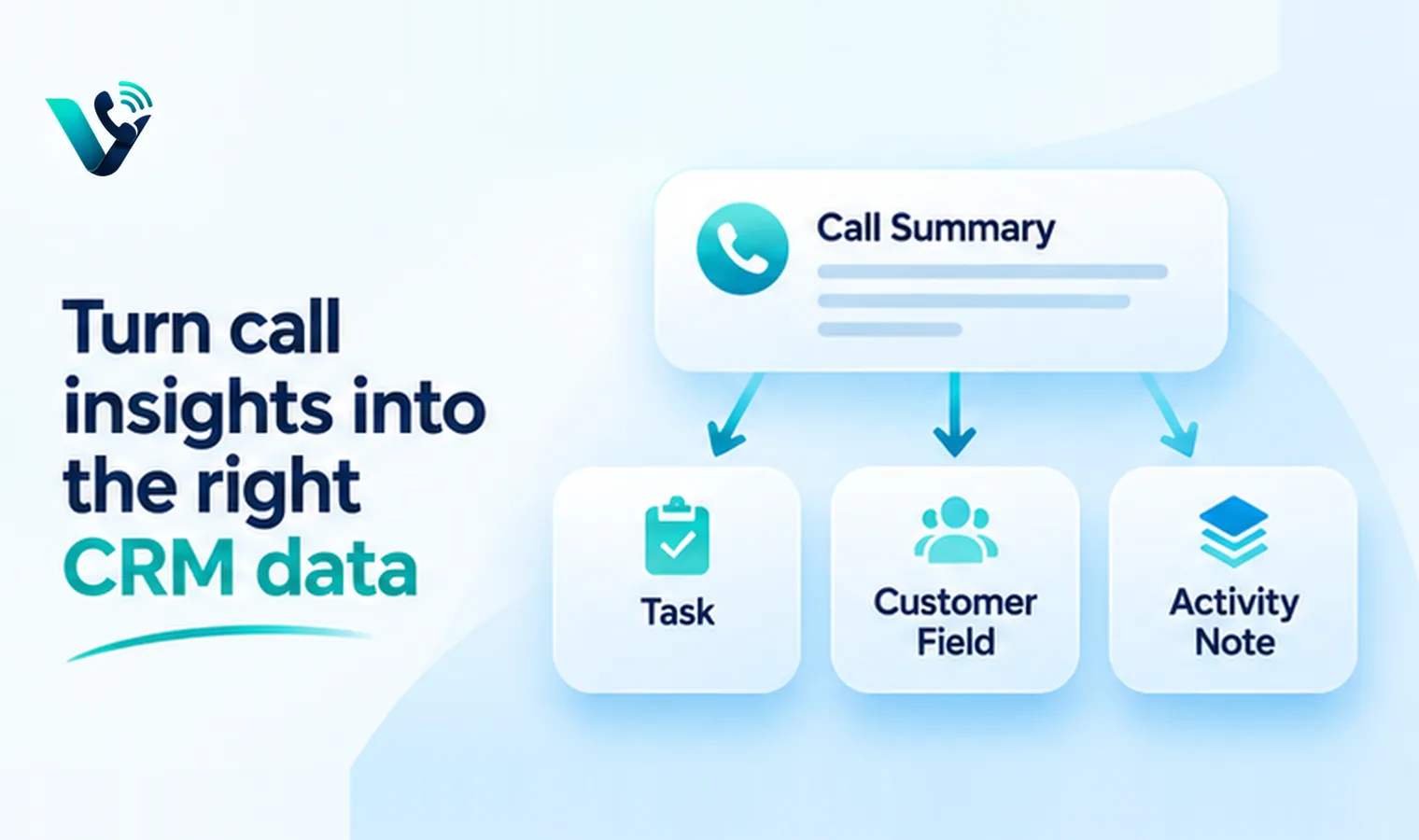
A CRM record should help the next person understand the relationship and act correctly. That means durable facts, current status, agreed next steps and useful context. A transcript can preserve the full conversation elsewhere; the CRM needs the compressed operational version. When summaries are written into CRM fields, use them to support selling or service work rather than to recreate the entire call.
Information from the call |
Best home |
Why |
|
Concise call recap |
Call activity / note |
Human-readable context |
|
Next action and due date |
Task / activity |
Creates accountable follow-up |
|
Decision maker / role |
Structured contact field |
Reusable across future calls |
|
Budget / timing if confirmed |
Qualified CRM fields |
Supports pipeline reporting |
|
Full transcript |
Conversation or linked record |
Too large/noisy for core CRM |
|
AI confidence / review flag |
Metadata or audit field |
Separates generation from verification |
Separate narrative from structured data
One AI summary can contain several data types. 'The buyer wants a pilot in November, legal must approve security terms, and Priya will send the DPA Friday' should not live only as prose. The durable value is in the structure: target timing, security review, owner and due date. Good CRM architecture keeps a readable summary while extracting a small set of fields that can drive workflow.
Salesforce's current voice work-summary design follows this idea by allowing generated summary, issue and resolution outputs to map into object fields, with an option for rep review before saving. That review step is important because AI-generated notes are probabilistic. If a field affects forecasting, entitlement, compliance or automation, require a confidence threshold or human confirmation instead of silently treating generated text as ground truth.
Where AI summaries should live
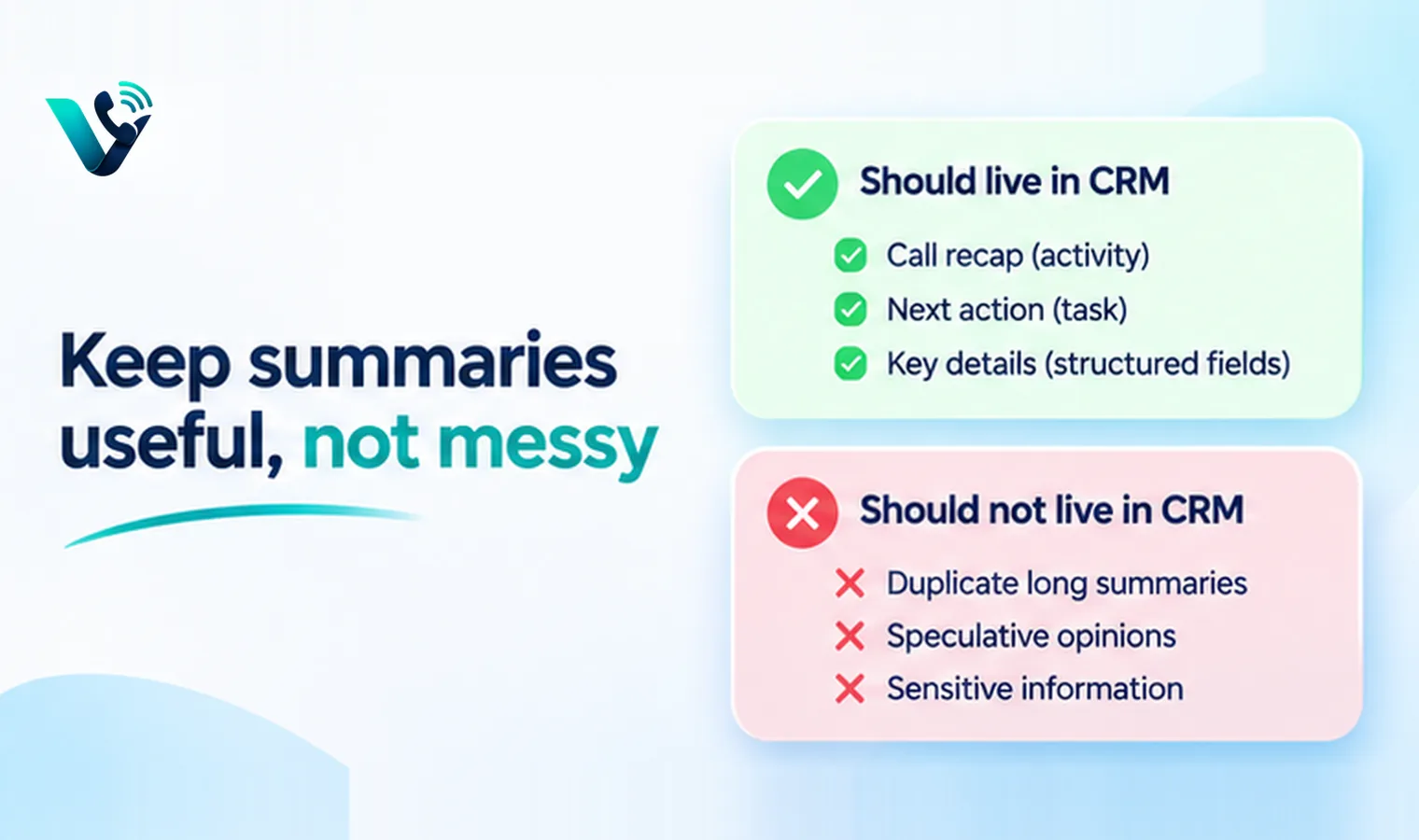
1. On the call or activity record
This is the natural location for the complete recap because it is tied to one interaction. Store the summary with timestamp, participants, recording/transcript link and source metadata. Future users can understand exactly which conversation produced the note.
2. In structured CRM fields only when the fact is durable
Fields such as lifecycle stage, next step, renewal date or primary objection should be updated only when the call provides clear evidence and your workflow defines ownership. If the same field can be changed by email, meetings and service interactions, use a conflict rule rather than letting the latest AI summary overwrite stronger data.
3. In tasks for commitments
An action item is not just part of the summary. If somebody promised to send pricing, schedule a demo or call back Tuesday, create an owned task with a due date. This is one of the clearest ways AI notes can remove admin work without corrupting the CRM.
Where AI summaries should not live
- Do not paste the same long summary into contact, account, opportunity and case records.
- Do not put speculative sentiment or personality judgments into permanent customer fields.
- Do not store payment details, secrets or unnecessary sensitive data simply because the transcript contained them.
- Do not let generated notes overwrite human-entered legal, billing or identity information without a controlled rule.
- Do not use a free-text summary as the only source for pipeline stages or service commitments.
Build a write-back contract
Before enabling automatic CRM notes, define a write-back contract. For each destination field, document the source phrase, extraction rule, confidence requirement, overwrite policy and reviewer. This sounds formal, but even a one-page mapping prevents years of messy automation. It also makes prompt testing measurable: A new summary prompt is successful only if the downstream fields remain accurate.
CRM destination |
Write condition |
Overwrite rule |
|
Next step |
Explicit commitment + owner |
Replace only open task if same intent |
|
Deal stage |
Clear qualification event |
Human confirmation required |
|
Primary objection |
Repeated or explicit buyer concern |
Append/update controlled list |
|
Summary |
Every completed eligible call |
New activity record; never overwrite history |
|
Contact title |
Caller states role clearly |
Do not replace verified value automatically |
Keep provenance visible
The next user should be able to distinguish an AI-generated summary from a rep-authored note. Add source labels or activity types such as 'AI call summary', retain the link to the underlying call, and record when a human edited or approved the result. Provenance is especially important when managers use CRM data for coaching, forecasting or customer disputes.
Design retention at the data layer
A one-paragraph summary may appear harmless, but it can contain sensitive details copied from a call. Apply retention and access rules based on content and purpose, not file type. If the transcript is deleted after a defined period but the summary remains indefinitely, confirm that this is intentional. Deletion workflows should also consider derived data when policy or law requires it.
How Votelly can fit the architecture
Votelly states that calls, recordings, transcripts and AI summaries can sync to the right CRM record through native integrations, with API and webhooks available for additional workflows. Use that sync as the transport layer, then decide in the CRM what becomes an activity, task or structured field. The cleanest implementation preserves one interaction record and avoids duplicating the same AI note across every object.
A practical launch sequence
- Choose one CRM object and one call type for the pilot.
- Write a field map before enabling automatic updates.
- Keep the full AI recap on the activity record.
- Extract only two or three structured fields in the first release.
- Require rep review for high-impact fields.
- Sample errors weekly and classify them by prompt, transcription, entity extraction or CRM mapping.
- Version prompts and mappings together so data changes can be traced.
- Expand only after the pilot produces cleaner records than the manual process.
How to test summary-to-CRM accuracy
Create a small evaluation set of calls with known outcomes and compare what the AI writes with what an experienced rep would enter. Score factual accuracy, missed commitments, wrong owners, wrong dates and inappropriate field updates separately. A summary can read fluently while still causing operational errors.
Repeat the evaluation whenever you change the prompt, transcription model, CRM field map or sales process. Versioning matters because a harmless prompt change can alter which phrases are interpreted as commitments or qualification signals.
The goal is less admin, not more data
A good AI summary architecture leaves the CRM quieter and more trustworthy. Reps should spend less time typing, managers should find the next step faster, and automation should rely on a small number of verified fields. If a deployment creates thousands of elegant paragraphs that nobody can report on or trust, it has automated note-taking without improving revenue operations. Put the summary where humans read; put durable facts where systems act.
Use separate confidence rules for facts, interpretations and predictions
Not every sentence in an AI summary has the same epistemic status. 'The customer requested a demo on Thursday' is a factual event that may be directly supported by the transcript. 'The customer seems hesitant about price' is an interpretation. 'The deal is likely to slip' is a prediction. If all three are written into CRM with the same visual weight, users may mistake inference for fact.
A clean design can separate confirmed facts from AI interpretation. Keep commitments, dates, names and explicit objections in structured or clearly labeled fields. Put softer analysis in a separate insight area, especially if it can influence forecasting or coaching. This makes the CRM easier to trust and gives reviewers a way to challenge the model without editing the factual record.
Protect the CRM from summary inflation
Generative systems tend to produce readable prose, and readable prose tends to accumulate. If every five-minute call creates 300 words of recap, a contact with fifty calls quickly becomes impossible to scan. Set a summary budget. Ask for a concise recap, the decision, the unresolved issue and the next action rather than a narrative reproduction of the conversation.
Different call types can have different summary schemas. A discovery call may need pain, current process, stakeholders and next step. A renewal call may need adoption, risk, commercial position and renewal action. A support call may need issue, troubleshooting, resolution and follow-up. Using one universal prompt for every call wastes CRM space and often misses the fields people actually need.
Try this on your own numbers
Local numbers in 118 countries, AI call notes and one shared inbox. Live the same day, no contract.
Decide which system owns edits
When a rep corrects an AI-generated summary, that correction should not be overwritten by a later reprocessing job. Choose a system of record for human edits and define whether regeneration creates a new version or updates the machine draft only. The same rule should apply if a CRM administrator changes structured fields after the call.
This version discipline matters when prompts evolve. A summary generated in January and one generated in June may follow different instructions. Keep the generation timestamp and prompt or model version in audit metadata where practical, so analysts understand why old and new notes differ. Without provenance, changes in AI behavior can look like changes in customer behavior.
Frequently asked questions
- Where should AI call summaries live in a CRM?
- Usually on the call or activity record linked to the relevant contact, account, opportunity or case. Durable facts can then be written to structured fields under controlled rules.
- Should AI summaries update opportunity stages automatically?
- Only when your process defines a reliable qualification event and an overwrite policy. High-impact stage changes are safer with human confirmation or strong validation.
- Should the full call transcript be stored in the CRM?
- It can be linked or stored in a conversation object, but dumping long transcripts into core notes fields usually creates noise and search problems.
- How do I prevent duplicate AI notes?
- Choose one canonical interaction record, then reference it from related objects instead of copying the same summary into contact, account and opportunity notes.
- Should reps review AI summaries?
- Review is especially valuable during rollout and for fields that affect forecasting, compliance, billing or customer commitments.
- How does Votelly sync AI summaries?
- Votelly states that calls, recordings, transcripts and AI summaries sync through native CRM integrations, with REST API and webhooks for additional workflows.