Prompting Your Call AI: Better Summaries From Better Instructions
By Jamila Parker · · 8 min read

Better call summaries start with better instructions. Learn how to define output structure, evidence rules, action items, vocabulary and QA for call AI.
Key takeaways
- Start by defining the business job of the summary instead of asking AI to summarize everything.
- Use an output contract with stable sections, length limits and explicit include/exclude rules.
- Require evidence-based notes and tell the model not to invent budgets, dates, stakeholders or commitments.
- Use different summary templates for discovery, demo and negotiation calls when the information needs differ.
- Test and version prompts against real transcripts so CRM notes remain accurate and consistent over time.
Nobody wants an ai call summary that reads like a transcript with fewer words. The value of a summary is that it decides what deserves attention: The customer’s problem, the evidence behind it, the objections, commitments, decisions, risks and next steps. If the instructions are vague, the output is often vague too.
That is why prompting your call ai is an operational design problem, not a clever-writing exercise. A useful prompt tells the model what role it has, what information matters, how to structure the result, what not to infer and how to handle uncertainty. Better instructions create summaries that are easier for sales reps to scan, easier for managers to coach from and easier for a crm to store consistently.
Modern prompting guidance from openai and microsoft points in the same direction: Define the task clearly, provide context, specify an output contract and tell the system what to include or exclude. For call summaries, those principles matter because the source material is long, conversational and full of details that are not equally important.
Start by defining the job of the summary
A “summary” can mean very different things to different teams.
A salesperson may want:
- The buyer’s main problem,
- Qualification signals,
- Objections,
- Decision criteria,
- Agreed next steps.
A support manager may want:
- Issue,
- Troubleshooting performed,
- Resolution,
- Unresolved risk,
- Promised follow-up.
A customer-success team may want:
- Adoption blockers,
- Feature requests,
- Sentiment shift,
- Renewal risk,
- Owner and due date.
If the prompt simply says “summarize this call,” the model has to guess which of those outcomes matters. The first improvement is therefore to name the use case.
Bad instruction:
“summarize the call.”
Better instruction:
“create a sales-call summary for the account owner. Prioritize business pain, buying criteria, objections, stakeholders, commitments and next steps. Ignore greetings, small talk and repeated explanations unless they change the deal.”
The second version does not need elaborate prompt engineering. It simply defines the job.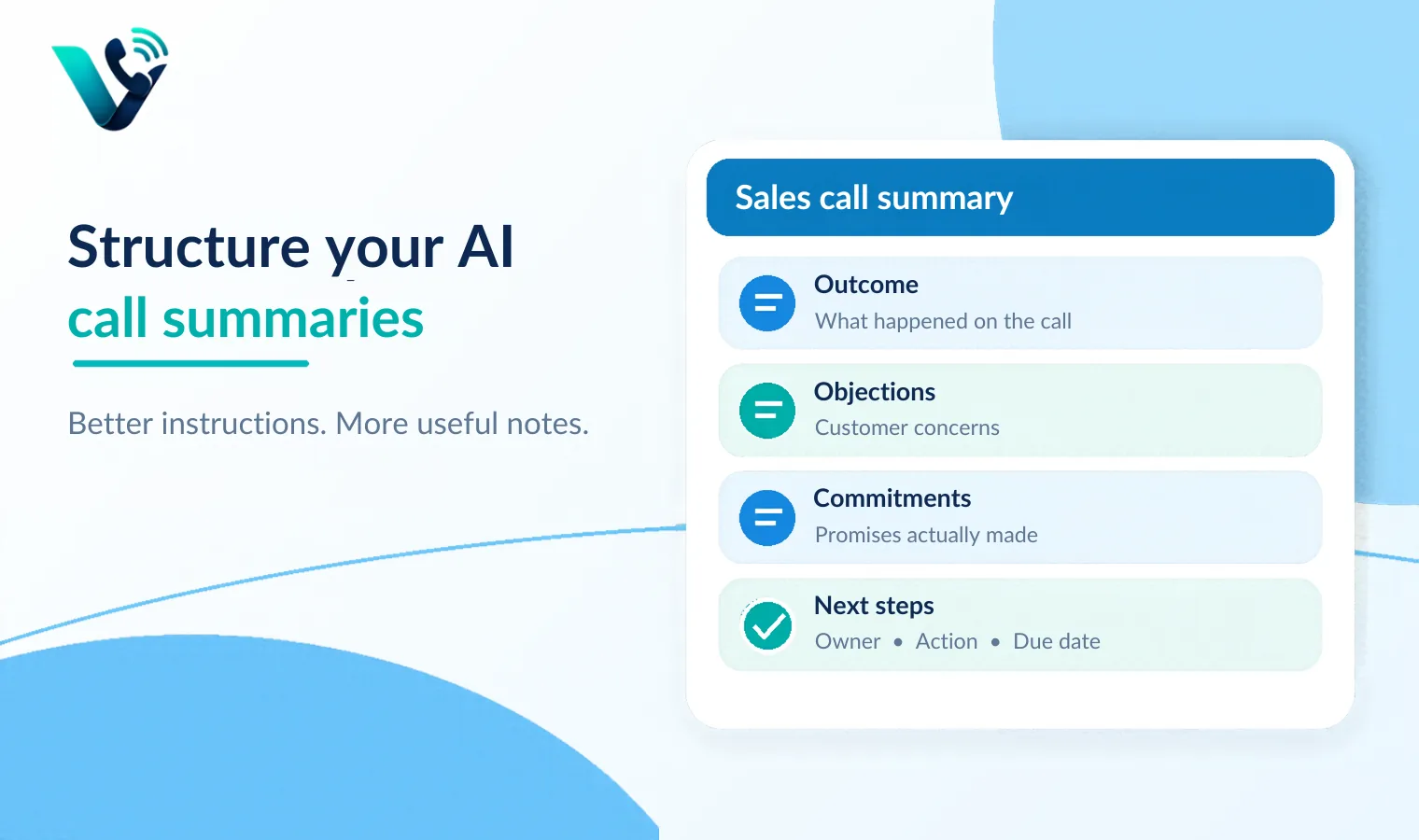
Give the ai an output contract
Consistency improves when the prompt specifies a stable structure. Microsoft’s guidance calls this an output contract: A clear description of the format, level of detail, required fields and exclusions.
For a sales team, a practical call-summary contract might look like this:
Section |
What the ai should capture |
What it should avoid |
|
Executive summary |
3-5 sentences on the business context and outcome |
Chronological play-by-play |
|
Customer priorities |
Problems, goals, timing, decision criteria |
Generic product interest |
|
Objections |
Explicit concerns and unanswered questions |
Invented concerns |
|
Commitments |
Promises made by either side |
Assumptions about intent |
|
Next steps |
Owner, action and date when stated |
Creating dates that were never agreed |
|
Risks |
Deal blockers or uncertainty supported by the call |
Predicting loss without evidence |
This structure makes the summary useful beyond the individual rep. Managers know where to look. Crm fields can map to predictable sections. Follow-up automation can use the same labels.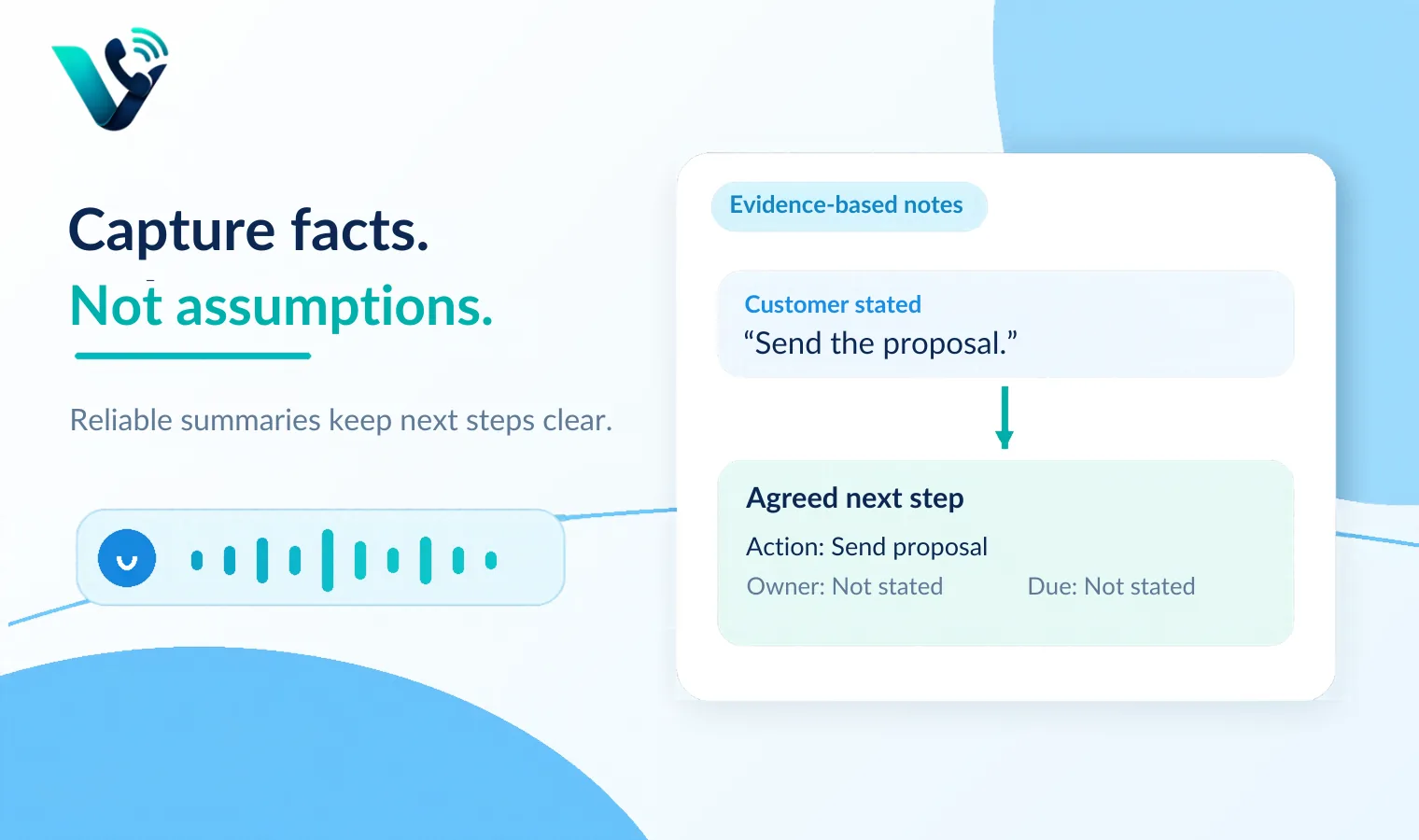
Tell the model what counts as evidence
One of the most important instructions for call ai is also one of the simplest: Do not infer facts that were not said.
A sales conversation contains hints, incomplete thoughts and ambiguous language. A prospect may say, “we need to think about the timing.” That does not automatically mean budget is the blocker. It may be procurement, implementation capacity, internal priorities or a polite way to delay.
A good prompt can require evidence-based wording:
- Separate explicit facts from inferred signals.
- Use “customer stated” only when the point was directly expressed.
- Label uncertain interpretation as “possible signal.”
- Do not create a budget, deadline, stakeholder role or decision process unless the transcript supports it.
- Preserve exact numbers, dates, products and commitments when accuracy matters.
- That instruction reduces one of the most damaging summary failures: Confident notes that are cleaner than the conversation but less true.
Prioritize the moments that change the next action
Long calls contain a lot of information that has no effect on what happens next. A useful call ai should compress aggressively around decision-relevant moments.
For a sales call, useful priority signals often include:
- A newly stated problem,
- A quantified impact,
- A decision criterion,
- An objection,
- A stakeholder requirement,
- A commitment,
- An unanswered question,
- A next step with an owner or date.
You can encode that hierarchy directly in the prompt: “If the transcript is long, prioritize information that changes qualification, deal risk, stakeholder strategy or the next action.”
Use different prompts for different call types
One generic prompt for every conversation usually produces mediocre notes. Discovery, demo, negotiation and support calls have different information density.
Discovery call prompt
Prioritize:
- Business problem and current process,
- Impact and urgency,
- Stakeholders,
- Existing tools,
- Desired outcome,
- Qualification gaps.
Demo call prompt
Prioritize:
- Features the buyer reacted to,
- Questions or objections,
- Required integrations,
- Use cases confirmed,
- Missing capabilities,
- Agreed evaluation steps.
Negotiation call prompt
Prioritize:
- Commercial terms discussed,
- Requested concessions,
- Approval dependencies,
- Unresolved legal or security issues,
- Commitments,
- Deadline risk.
Make action items machine-readable
If call summaries feed a crm, shared inbox or task system, free-form prose is not enough. The prompt should make actions easy to extract.
A strong action-item instruction is:
“for every agreed next step, return: Owner, action, due date if explicitly stated, and source evidence. If owner or date is missing, write ‘not stated’ rather than guessing.”
That format makes downstream automation safer. A crm can create a task when a date exists. A manager can see which commitments are incomplete. A rep does not need to reread the transcript to remember who promised what.
Add negative instructions
Prompting improves when the model knows what not to do.
For call summaries, useful exclusions include:
- Do not repeat greetings or small talk.
- Do not summarize every product feature discussed.
- Do not invent reasons for silence, hesitation or sentiment.
- Do not convert a possibility into a commitment.
- Do not treat a question as agreement.
- Do not create a next step unless one was discussed.
- Do not write generic sales advice inside the summary.
- Do not mention internal scoring unless the user asks for it.
Negative instructions are particularly valuable when the output is written into the crm automatically. A bloated summary is annoying; an invented commitment can damage the deal record.
Give the ai vocabulary and context
Every company has language the model may misread: Product names, acronyms, pricing tiers, competitor names, internal stage names and technical terms.
A call ai performs better when the prompt or connected knowledge source includes that vocabulary. A small glossary can prevent a product name from being interpreted as a person, or an internal acronym from being rewritten into something incorrect.
Context can also include the call type, account name, crm stage and known participants. That helps the model distinguish a decision-maker from a colleague mentioned in passing.
Prompt for scanability, not literary quality
A call summary is an operational document. It should be easy to scan in ten seconds.
Specify:
- Short paragraphs,
- Bullets for objections and next steps,
- A maximum length,
- Bold labels or structured fields,
- No repeated information across sections.
For example:
“keep the summary under 250 words. Use five sections: Outcome, customer priorities, objections, commitments, next steps. Use bullets except for the two-sentence outcome section.”
That is much more useful than asking for a “detailed professional summary,” which often creates long prose.
Test prompts like a product, not a one-time instruction
The first prompt will not be perfect. Build a small evaluation set from real calls.
Include different cases:
- A clean discovery call,
- A noisy or accented call,
- A call with several dates and numbers,
- A call with an unclear next step,
- A difficult objection,
- A call where nothing meaningful happened.
Score each summary for factual accuracy, missed commitments, invented information, readability and usefulness to the next person who opens the crm.
Change one prompt element at a time. If you rewrite the task, structure and vocabulary together, you will not know what improved the result.
Try this on your own numbers
Local numbers in 118 countries, AI call notes and one shared inbox. Live the same day, no contract.
Version your prompts
Once summaries feed team workflows, prompt changes become process changes.
Keep a version number and a short change log. Record why the instruction changed: “v3 adds explicit owner/date fields because tasks were being created without clear ownership.” If a new version performs worse, the team can roll back.
Where votelly fits
Votelly’s current product positioning includes live transcription, ai call summaries, searchable transcripts and automatic crm synchronization. That creates a natural place for disciplined summary instructions: The transcript is the evidence layer, the prompt defines what the summary should extract, and the crm is the destination.
A practical workflow is to define one summary template for each major call type, test it against real votelly transcripts, and keep the output contract stable enough that crm notes remain consistent. Searchable transcripts provide the fallback when a rep needs to verify a detail that the summary compressed.
Better call ai does not begin with a longer prompt. It begins with a clearer definition of what the next human or system needs from the conversation. When the instruction is specific, evidence-based and structured, the summary becomes a reliable operating artifact instead of a prettier transcript.
Frequently asked questions
- What does prompting your call AI mean?
- It means giving the AI explicit instructions about what to extract from a call transcript, how to structure the summary, what evidence to preserve and what it must not infer.
- What should a sales call summary include?
- A useful sales summary usually includes the outcome, customer priorities, objections, commitments, unanswered questions, next steps and clear owners or dates when those were explicitly stated.
- How do I stop AI call summaries from inventing details?
- Tell the model to separate explicit facts from possible signals, use only transcript-supported information, mark missing owners or dates as not stated, and avoid guessing.
- Should every sales call use the same summary prompt?
- Not necessarily. Discovery, demo and negotiation calls often need different priorities. A small set of templates can improve relevance while preserving consistent output fields.
- How should call-summary prompts be tested?
- Run a fixed set of real transcripts through each prompt version and score factual accuracy, missed commitments, invented information, readability and usefulness to the next CRM user.
- How does Votelly fit into a prompted call-summary workflow?
- Votelly provides live transcription, AI call summaries, searchable transcripts and CRM synchronization. Teams can use those outputs with a consistent summary template and verify details against the transcript when needed.