Jitter, Latency and Packet Loss: The Three Things That Ruin a VoIP Call
By Jamila Parker · · 6 min read

Jitter, latency and packet loss are three of the biggest causes of poor VoIP call quality. Learn what they mean, how they affect calls, and how to reduce them.
Key takeaways
- Latency is the delay between sending and receiving voice data.
- Jitter is variation in packet arrival times and can make speech sound broken or distorted.
- Packet loss means some voice packets never arrive or arrive too late to be useful.
- Network congestion, poor Wi-Fi, overloaded equipment and insufficient bandwidth can contribute to all three problems.
- Monitoring latency, jitter and packet loss helps businesses identify whether poor calls are caused by the network or another part of the VoIP setup.
Jitter, Latency and Packet Loss: The Three Things That Ruin a VoIP Call
A VoIP call may look simple to the person using the phone, but behind every conversation is a continuous stream of voice packets travelling across a network. Your voice is converted into digital data, divided into packets, transported over an IP network and then reconstructed as speech at the other end. When those packets are delayed, arrive at uneven intervals or disappear altogether, the conversation can quickly become difficult to understand.
The three network conditions most closely associated with poor VoIP call quality are latency, jitter and packet loss. They are related, but they are not the same problem. Understanding the difference matters because the right fix depends on what is actually happening on the network.
What Is Latency in VoIP?
Latency is the amount of time it takes for voice data to travel from one point to another. It is normally measured in milliseconds (ms). A small amount of delay is expected on an IP network, but as the delay becomes larger, people may notice pauses, talking over each other or an echo-like conversational experience.
Cisco notes that VoIP typically tolerates one-way delay up to around 150 ms before call quality becomes unacceptable, while RingCentral describes latency at or below 150 ms as generally acceptable and delays above 300 ms as generally unacceptable. These figures are useful guidelines rather than a guarantee of the experience on every network.
Latency can increase when traffic has to travel a long physical distance, when network equipment is overloaded, or when congestion creates queues before packets can be transmitted. A business may therefore have a fast internet connection and still experience noticeable call delay if the path or network conditions introduce excessive latency.
What Is Jitter?
Jitter is the variation in the time between packets arriving at their destination. Ideally, voice packets should arrive at a steady rate. In real networks, congestion, queuing and route changes can make some packets arrive earlier and others later. Cisco describes jitter as variation in packet delay over time.
VoIP systems use a jitter buffer to temporarily hold packets and smooth out small differences in arrival time. This can help maintain a steady audio stream, but a buffer cannot compensate for unlimited variation. If packets arrive too late, they may be discarded, creating gaps or broken speech.
As a practical reference, RingCentral states that jitter above 50 ms can contribute to packet loss and degraded voice quality. Symptoms can include clipped words, dropouts, garbled speech and an uneven conversation.
What Is Packet Loss?
Packet loss occurs when voice packets fail to reach their destination or arrive too late to be useful. Because a live conversation depends on a continuous stream of information, even relatively small losses can become noticeable. Cisco describes packet loss as a serious impairment for voice applications, while RingCentral notes that lost packets can create missing words and gaps in conversation.
Packet loss can be caused by congestion, overloaded network devices, unstable wireless connections, insufficient bandwidth or packets being discarded after excessive delay. The result is often easy to recognise: the other person sounds robotic, parts of sentences disappear, or the call becomes choppy.
Jitter vs Latency vs Packet Loss
Problem |
What it means |
Common symptom |
What to investigate |
Latency |
Voice data takes too long to travel |
Delay, pauses, talking over each other |
Network path, distance, congestion |
Jitter |
Packet arrival times vary |
Clipped or uneven speech |
Congestion, queuing, Wi-Fi, jitter buffer |
Packet loss |
Packets are dropped or unusable |
Missing words, gaps, robotic audio |
Drops, overloaded links, weak connection |
Why Do VoIP Calls Suffer From These Problems?
Network congestion
When multiple users compete for the same connection, voice packets may wait behind other traffic. Cisco recommends identifying congestion and prioritising voice traffic where appropriate.
Poor Wi-Fi
Wireless interference, weak signal strength and crowded channels can introduce instability. Business users who rely heavily on Wi-Fi should test the network from the same locations where calls are made.
Insufficient or poorly managed bandwidth
A connection can become problematic when large downloads, uploads, backups or video traffic compete with voice. Cisco explains that insufficient bandwidth can result in dropped voice packets.
Overloaded network equipment
Routers, switches or other devices can contribute to delay, drops or variable delay when they are incorrectly configured or under heavy load.
How to Fix VoIP Jitter, Latency and Packet Loss
The first step is to measure rather than guess. Check call-quality reports or network monitoring data for latency, jitter and packet loss, and compare results during normal and peak usage. RingCentral recommends testing the connection at different times of day, including peak usage periods, to identify intermittent problems.
- Prioritise real-time voice traffic with appropriate Quality of Service (QoS) settings.
- Check for network congestion and large downloads or uploads occurring during calls.
- Test wired Ethernet where possible, especially for users who make frequent business calls.
- Review router and switch configuration and look for interface or buffer drops.
- Check Wi-Fi coverage and interference if calls are made wirelessly.
- Measure call quality from the actual locations and devices used by employees rather than relying only on an internet speed test.
- Work with the VoIP provider when the problem appears outside the business network or affects multiple destinations.
Cisco specifically recommends controlling delay and jitter, examining interface and buffer drops, eliminating congestion and using traffic-prioritisation techniques for VoIP.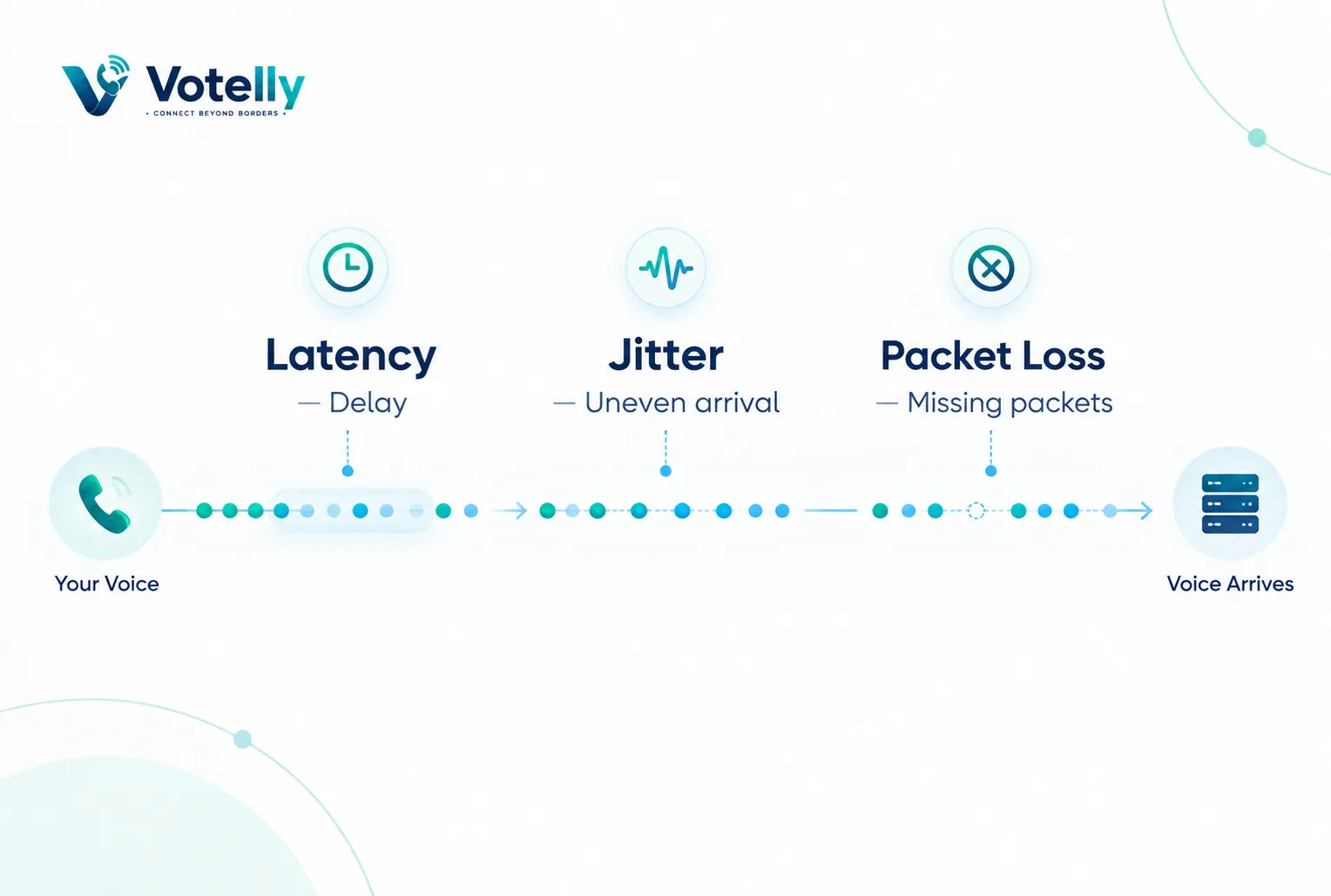
Can a Fast Internet Connection Prevent Bad VoIP Calls?
Not necessarily. Download speed is only one part of call quality. A business can have a high-speed connection and still experience poor VoIP performance if latency, jitter or packet loss is high. Real-time voice traffic needs consistency as well as capacity. This is why call-quality testing should look beyond a single speed-test number and consider the actual network conditions experienced by voice packets.
For businesses, the goal should be a stable network where voice traffic can move predictably. QoS-enabled equipment can help prioritise voice over lower-priority traffic, particularly when the same connection is used for calls, file transfers, cloud applications and video. RingCentral also recommends QoS-capable network equipment for voice traffic.
A Simple VoIP Quality Troubleshooting Checklist
1. Check latency during a real call.
2. Measure jitter and packet loss rather than looking only at download speed.
3. Compare results during busy and quiet periods.
4. Check whether the issue affects one user, one location or everyone.
5. Review Wi-Fi and Ethernet performance separately.
6. Check router, switch and firewall configuration for drops or congestion.
7. Use QoS where appropriate to prioritise voice traffic.
8. Escalate persistent problems to the VoIP provider with measured call-quality data.
Try this on your own numbers
Local numbers in 118 countries, AI call notes and one shared inbox. Live the same day, no contract.
The Bottom Line
Jitter, latency and packet loss are three different network problems, but all three can turn a clear VoIP conversation into a frustrating one. Latency creates delay, jitter disrupts the timing of voice packets, and packet loss removes parts of the conversation. The most effective approach is to measure these conditions, identify where the impairment occurs and then address the specific network bottleneck rather than simply buying more bandwidth.
For a business relying on VoIP for sales, customer support or internal communication, consistent call quality is part of the customer experience. Monitoring network performance and prioritising voice traffic can help reduce avoidable call problems before they affect important conversations.
Frequently asked questions
- What is the difference between latency and jitter in VoIP?
- Latency is the delay experienced by voice packets as they travel across the network. Jitter is the variation in that delay, meaning packets do not arrive at a consistent interval.
- How much latency is acceptable for a VoIP call?
- Around 150 ms of one-way delay is commonly used as a practical upper guideline for acceptable VoIP quality. Higher delay can become noticeable, and delays above 300 ms are generally considered unacceptable.
- What causes jitter on a VoIP call?
- Network congestion, queuing, route changes, timing variation and configuration issues can contribute to jitter. A jitter buffer can reduce the effect of small variations but cannot eliminate severe jitter.
- What does packet loss sound like on a phone call?
- Packet loss can sound like missing words, gaps, clipped speech or robotic audio because parts of the voice stream do not arrive correctly.
- Can QoS reduce VoIP call problems?
- Yes. Proper Quality of Service configuration can prioritise voice traffic over less time-sensitive traffic, helping reduce the effect of congestion on calls.
- Should I blame my VoIP provider for poor call quality?
- Not automatically. The local network, Wi-Fi, router, internet connection and the wider network path can all affect call quality. Measuring where latency, jitter or packet loss occurs is the best way to identify the likely source.