Remote call center setup: technology checklist for distributed agents
By Jamila Parker · · 8 min read

A remote call centre succeeds or fails on connectivity, devices, voice quality, security and supervision. Use this practical setup checklist.
Key takeaways
- Reliable home internet is the foundation of a remote call center; latency, jitter and packet loss can damage voice quality even when headline bandwidth looks sufficient.
- Standardised laptops, USB headsets, softphone settings and workspace requirements make remote troubleshooting faster and reduce avoidable audio problems.
- Cloud routing should keep business numbers, queues, transfers and agent presence inside the company workflow instead of depending on personal mobile numbers.
- Security must cover identity, devices and customer data: use MFA, least-privilege access, screen locking, endpoint protection and clear rules for recordings and downloads.
- Remote supervision should focus on queue health, call quality and customer outcomes rather than constant monitoring of agents.
A remote call center setup has to solve more than one problem at the same time. Calls must sound clear, agents need reliable access to the phone system and customer context, managers need enough visibility to support the team, and the business needs a fallback when someone’s home internet or equipment fails. A setup that works in the office can become fragile when the same team is spread across different homes, cities or countries.
The most effective remote environment is therefore built around consistency. Agents should know which device, headset, connection and application they are expected to use. Managers should know how calls are routed, how quality issues are identified and what happens when an agent becomes unavailable. This checklist focuses on the practical technology and operating decisions that make distributed calling dependable without turning remote work into an overly complicated IT project.
Connectivity comes first
A remote call center depends on stable internet before anything else. Raw download speed is only part of the picture. Voice conversations are sensitive to latency, jitter, packet loss and sudden changes in connection quality, so an agent with “fast internet” can still sound broken or delayed if the home network is unstable.
Create a minimum connectivity standard and test it from the place where the agent will actually work. A wired Ethernet connection is preferable when practical because it removes some of the variability of Wi-Fi. If Wi-Fi is unavoidable, the agent should work close to the router, avoid weak repeaters and know which household activities can saturate the connection during a shift.
Critical roles also need a realistic fallback. That might be a second broadband connection, mobile hotspot or a process for transferring the agent’s calls to another team member until service returns. The fallback should be tested before an outage rather than invented during one.
When voice-quality complaints appear, troubleshoot the connection before changing scripts or blaming the calling platform. Compare the problem across devices, time periods and networks. A repeatable network test gives support teams useful evidence and avoids wasting time on guesswork.
Standardise devices and headsets
Remote teams become much easier to support when hardware is standardised. Publish a supported laptop specification, approved operating-system versions and a short list of tested USB headsets. This reduces the number of unknown combinations managers and IT staff have to troubleshoot when an agent reports echo, low microphone volume or intermittent audio.
Headsets deserve particular attention. Built-in laptop microphones pick up keyboards, room noise and other people in the home. A dedicated wired or well-tested wireless headset with a boom microphone usually produces more consistent voice quality and gives the agent better control over mute and volume.
The workspace matters too. Give agents a basic checklist covering a quiet location, stable desk position, power supply, lighting for video meetings and a way to reduce background noise. Remote call quality is partly a technology problem and partly an environment problem.
Keep a small replacement pool if the team is large enough to justify it. A failed headset should not remove an otherwise productive agent from the queue for several days while a new device is ordered.
Softphone and routing
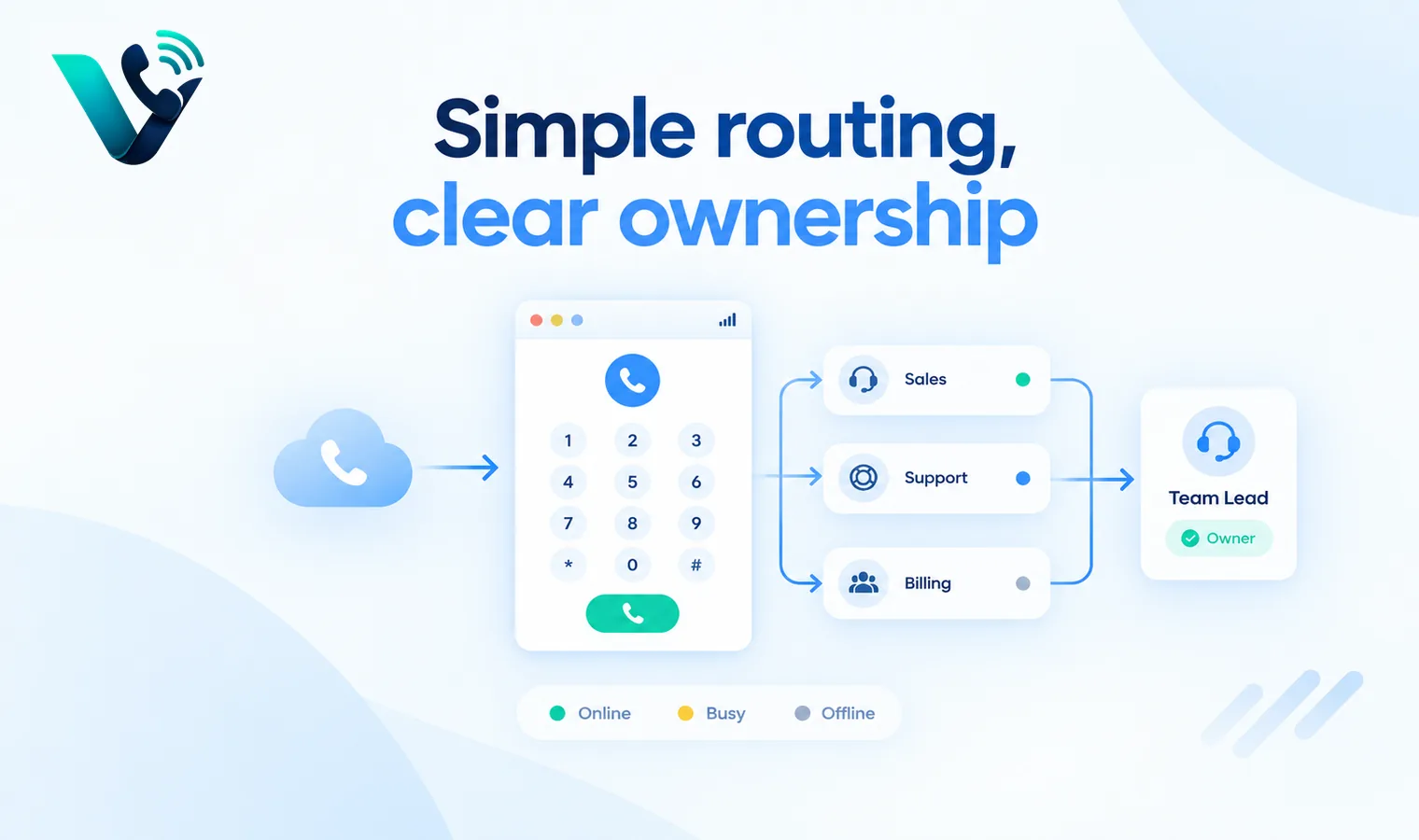
A cloud softphone or contact-center application should give remote agents the same business identity they would have in an office. Calls should use company numbers, company routing and company records rather than personal mobile numbers. This keeps customer communication consistent and makes it easier to reassign work when someone is absent.
Routing should reflect real availability. Agent presence, working hours and queue membership need to be accurate so callers are not repeatedly sent to people who are offline. Transfers should preserve enough context that the next agent understands why the caller was moved instead of forcing the customer to restart the conversation.
Keep the routing design understandable. A remote team can quickly accumulate special rules for individuals, time zones and temporary coverage. Use those rules only when they solve a real service problem, and document the normal path, overflow path and after-hours path in plain language.
If agents also work in a CRM or support platform, connect the calling workflow to that record where possible. The goal is to reduce switching: The rep should know who is calling, what happened previously and what follow-up is expected without searching across several unrelated tools.
Security checklist
Remote work moves customer conversations and business systems outside the office network, so security has to cover the user, the device and the data. Start with multi-factor authentication for the phone system, CRM and other tools that contain customer information. Use separate user accounts rather than shared credentials so access can be removed cleanly when roles change.
Managed devices are ideal because the business can enforce screen locking, updates, endpoint protection and remote-wipe policies. Where personal devices are allowed, define which applications may be installed, whether files can be downloaded locally and what happens if the device is lost or shared with other household members.
Customer data should not end up in personal notes, screenshots or unapproved cloud storage simply because the agent is working from home. Give people an approved place for call notes and attachments, and make the secure workflow easier than the workaround.
If calls are recorded, define who may listen, how long recordings are retained and how deletion requests are handled. Recording and consent rules vary by jurisdiction, so the business should obtain appropriate legal advice for the locations in which it operates.
Quality monitoring and supervision
Managers need visibility into remote operations, but useful supervision is not the same as watching people constantly. The most valuable view is operational: Which queues are building, which agents are available, whether answer times are changing, where calls are being transferred and whether voice-quality problems are concentrated around a particular person or network.
Use a small set of metrics that connect activity to customer experience. Depending on the team, that can include answer rate, average speed of answer, abandonment, missed calls, transfers, first-contact resolution, callback completion or qualified sales conversations. Raw call volume alone says very little about whether the remote setup is working well.
For coaching, review a consistent sample of calls or call notes where lawful. Look for recurring issues such as weak openings, poor handoffs, missing next steps or background-noise problems. The objective is to improve performance and remove friction, not to turn the remote environment into surveillance.
Create a short weekly operating review. Managers can look at the previous week’s queue performance, recurring technical issues, customer complaints and agent feedback, then choose one or two changes to test. Small, regular corrections are easier to evaluate than a large redesign after months of frustration.
Try this on your own numbers
Local numbers in 118 countries, AI call notes and one shared inbox. Live the same day, no contract.
Business continuity
Remote call centers need a plan for failure because there is no single office network to protect the entire team. One agent may lose power, another may lose broadband and an entire region may experience a service interruption. The calling workflow should continue even when part of the team disappears unexpectedly.
Document what happens in at least four situations: An individual agent loses connectivity, several agents in one location go offline, the primary phone platform becomes unavailable, and customer calls arrive outside normal operating hours. Decide where calls are redirected, how missed interactions are captured and who is responsible for recovery.
Fallback plans should protect customer promises. If a call cannot be answered live, the customer should reach a clear voicemail, callback option or alternate team rather than a dead end. The follow-up task then needs a visible owner and expected response time.
Test continuity quarterly and after major routing changes. A five-minute simulated outage can reveal expired forwarding numbers, inaccessible voicemail boxes or undocumented dependencies long before a real incident exposes them to customers.
Assign a continuity owner for each shift or region so incidents do not become everyone’s problem and therefore nobody’s responsibility. That person should know where calls are being redirected, how agents report outages and when customers need a proactive update. After any real incident, review what failed, how long recovery took and which part of the fallback plan needs to be changed.
How to connect this topic to Votelly
This article can position Votelly within the remote-calling layer of the setup without making product claims that are not confirmed on the live service. The relevant idea is centralisation: Distributed agents still need consistent business numbers, routing and call activity even when they are not sitting in the same office. Link readers to the most relevant live Votelly product page once the exact capability and URL have been verified. A safe current destination remains www.votelly.com.
The topic also connects naturally to the wider Votelly content cluster. After-hours routing and overflow guides explain how calls are recovered when the preferred agent is unavailable. Voicemail workflow content covers missed-call ownership. Call-recording content covers coaching and quality. Together, those guides can help.
Frequently asked questions
- What is remote call center setup?
- Remote call center setup is the combination of connectivity, hardware, softphone or contact-center software, routing, security, quality monitoring and continuity processes that allows agents to handle business calls reliably from distributed locations.
- How should a small team start with remote call center setup?
- Start by standardising the basics: Supported devices, a tested headset, minimum internet requirements, one cloud calling workflow and a clear fallback when an agent loses connectivity. Add more complex routing only after the basic setup is stable.
- What should be measured?
- Measure both technical and customer outcomes. Useful indicators include answer rate, average speed of answer, missed calls, abandonment, transfers, callback completion, recurring voice-quality problems and the percentage of agents affected by connectivity issues.
- How often should the setup be reviewed?
- Review the setup after onboarding new agents, changing routing or moving into a new region. A short monthly operational review works well initially, with deeper connectivity, security and continuity checks performed periodically.
- Can automation replace human ownership?
- No, automation can route calls, update presence, create alerts and trigger fallbacks, but the team still needs named owners for queue performance, technical incidents, missed-call recovery and customer follow-up.
- How can Votelly fit into the workflow?
- Votelly can be positioned as part of the cloud business-calling layer where the live product supports the required numbers, routing or call activity. Verify the exact feature set and country availability before publishing detailed product claims.