What Is a Power Dialer and How Much Time Can It Save?
By Jamila Parker · · 9 min read

what a power dialer does, where it saves time, how to estimate gains, and when sales teams should automate outbound calling.
Key takeaways
- The rep starts a calling list or sequence.
- Manual calling contains many small gaps: finding the next contact, opening the record, typing the number, waiting for the dial action, logging the result and returning to the list.
- Measure a real manual session first.
- It is useful when reps make repeated outbound attempts from structured lists, especially for prospecting, renewals, appointment setting and follow-up campaigns..
- Measure the result after implementation and adjust the workflow using real customer and call data.
A power dialer is an outbound calling tool that automatically moves through a contact list so a sales representative does not have to copy, paste or type each phone number manually. The value is not simply faster dialing. A well-designed workflow can also reduce time spent opening records, logging attempts and deciding who to call next.
Votelly context: For outbound teams, the useful layer is a consistent calling workflow: Legitimate caller identity, centralized numbers, clear retry rules and a reliable destination for callbacks. Explore Votelly
What Happens During A Power-Dialing Session
The rep starts a calling list or sequence. The dialer places a call, shows the contact record, and after the call ends moves to the next eligible contact based on the workflow rules.
Operationally, this is where what happens during a power-dialing session becomes measurable rather than theoretical. Map the current process first, then change one variable at a time so the team can see whether the new approach improves responsiveness, conversion or customer effort.
Depending on the system, dispositions, notes, follow-up tasks and retry timing may also be captured during the same flow. The rep spends more of the session talking and less of it navigating between tools.
A useful way to apply this is to test the rule on a defined segment instead of changing every call flow at once. For what is a power dialer, a controlled rollout makes it easier to spot edge cases, compare before-and-after results and correct problems before scale adds complexity.
Practical note: Set a baseline before changing the workflow so the impact can be measured rather than guessed.
Where The Time Savings Come From
Manual calling contains many small gaps: Finding the next contact, opening the record, typing the number, waiting for the dial action, logging the result and returning to the list. Each gap looks minor, but across dozens of attempts it becomes meaningful.
The customer impact should stay visible in the decision. Ask what the caller or prospect experiences before, during and after the call, then make sure the configuration supports that journey rather than only making the internal workflow look efficient.
Power dialing compresses those transitions. The biggest gains appear when the list is clean, the CRM data is accurate and agents use consistent dispositions.
For managers, the important step is ownership: Decide who monitors the result, which threshold triggers a review and what fallback applies when the preferred path is unavailable. That turns where the time savings come from into a repeatable operating process.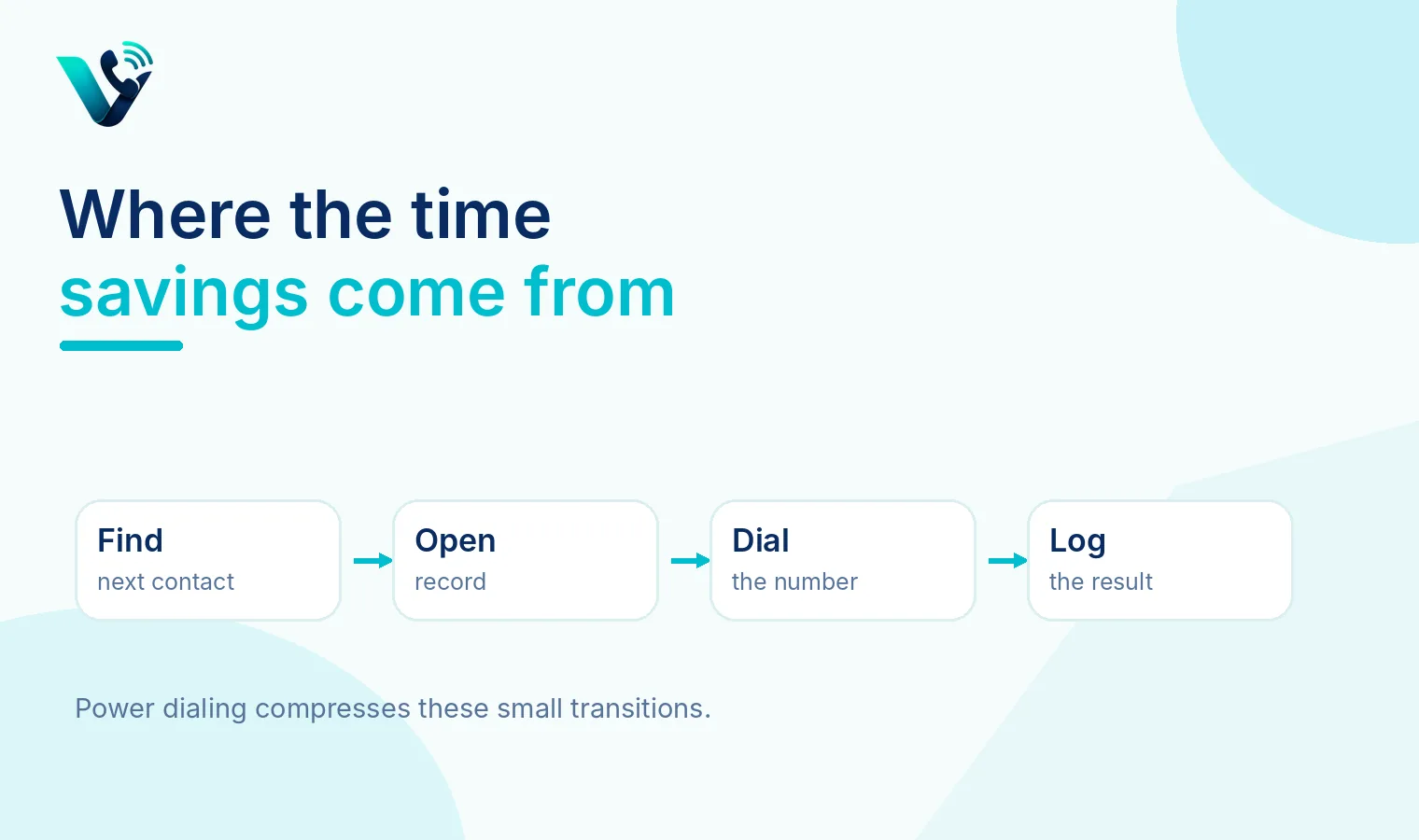
Practical note: Write down the fallback path before launch; edge cases are easier to handle when ownership is clear.
How To Estimate Potential Time Saved
Measure a real manual session first. Record total session time, dials placed, live conversations and minutes spent on after-call work. Then repeat with a dialer using the same type of list.
Data quality can change the result as much as the phone setting itself. Verify contact details, agent availability and routing inputs before judging performance; otherwise the team may blame what is a power dialer for a problem created by incomplete or inconsistent data.
Compare productive conversation time and completed outcomes, not just raw dial count. If a dialer adds more attempts but lowers conversation quality, the apparent efficiency may not translate into revenue.
Avoid optimizing this in isolation. Pair the primary metric with a customer-outcome measure so improvements in speed or volume do not quietly increase transfers, repeat contacts, missed calls or low-quality conversations.
Practical note: Test the experience from the caller side as well as the agent side before expanding the change.
When A Power Dialer Makes Sense
It is useful when reps make repeated outbound attempts from structured lists, especially for prospecting, renewals, appointment setting and follow-up campaigns.
The safest implementation is incremental. Define the desired outcome, test the behavior with real traffic, collect agent feedback, and keep the rollback path simple. Once the workflow is stable, expand it to additional teams or markets.
It is less valuable when every call requires deep research, custom preparation or executive-level personalization. In those motions, preparation time is intentional rather than waste.
This decision also needs a clear exception path. Calls rarely behave exactly as planned, so document what happens during peaks, after hours, on failed connections and when no suitably available agent can take the interaction.
Practical note: Keep the first rollout narrow enough that the team can identify the cause of any improvement or regression.
Best Practices For Rollout
Start with one campaign and a clearly defined list. Require dispositions, create rules for retries and do not let automation repeatedly call people who have opted out.
Operationally, this is where best practices for rollout becomes measurable rather than theoretical. Map the current process first, then change one variable at a time so the team can see whether the new approach improves responsiveness, conversion or customer effort.
Coach reps on the transition between calls. Faster dialing should not mean rushed conversations; the workflow should preserve enough context for a natural opening.
A useful way to apply this is to test the rule on a defined segment instead of changing every call flow at once. For what is a power dialer, a controlled rollout makes it easier to spot edge cases, compare before-and-after results and correct problems before scale adds complexity.
Practical note: Review the result by time window, queue or segment so a good average does not hide a weak customer experience.
How To Apply This With Votelly
Translate the idea into a simple operating rule: Decide which number receives or presents the call, who should handle it, what happens when the preferred path is unavailable, and which outcome will be reviewed after launch. Votelly can act as the cloud calling layer while your CRM or support workflow keeps customer context and follow-up connected. For customer-facing service planning, also review the customer support page.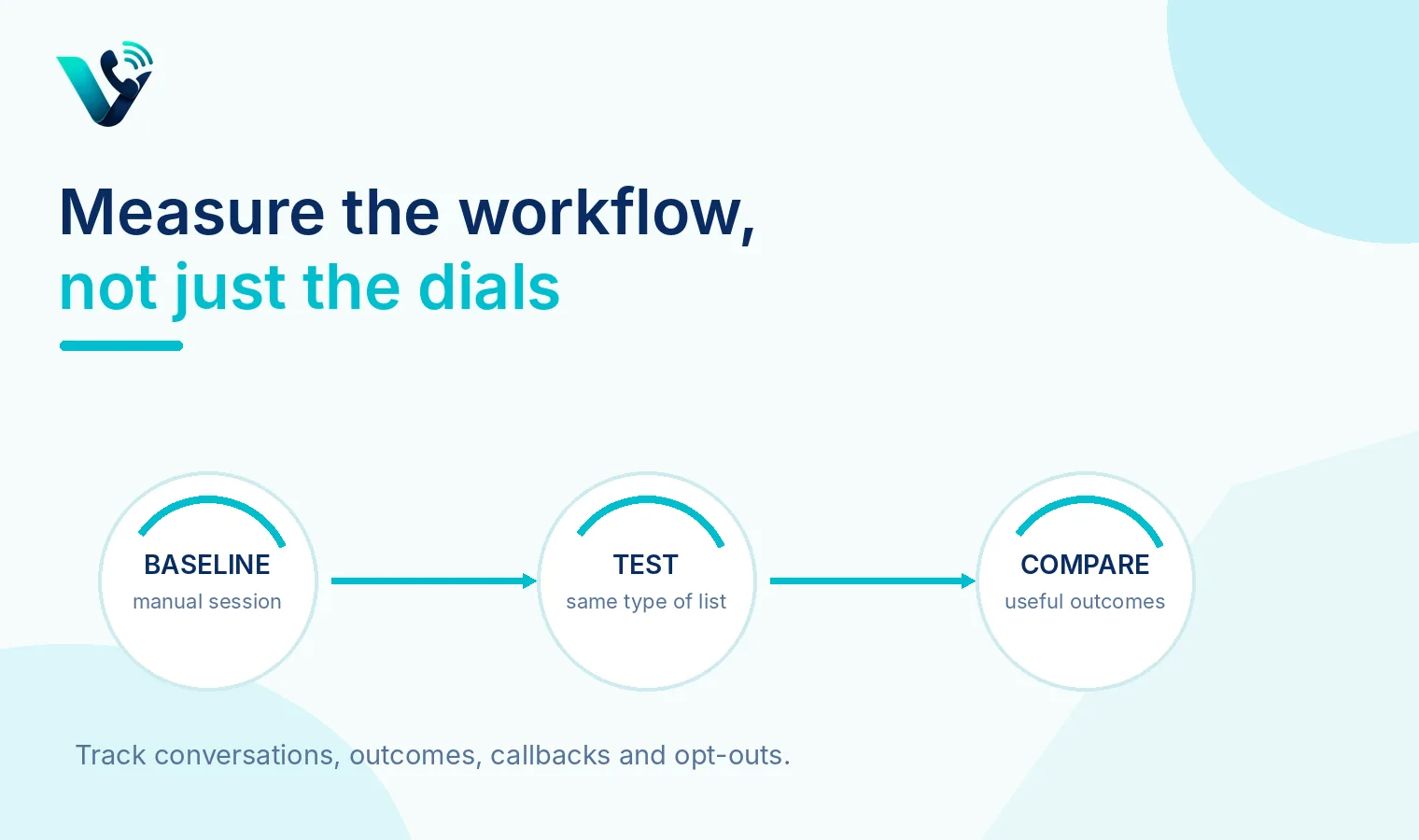
Implementation Checklist
Before switching on a power dialer, prepare the workflow around the calls rather than starting with automation itself.
Prepare the calling list
- Remove duplicates, invalid numbers and contacts who should not be called.
- Segment the list by campaign, lead source or customer type so reps know the context before each conversation.
- Confirm that opt-outs and do-not-call records are excluded from the dialing sequence.
Set the dialing rules
- Decide how quickly the dialer should move to the next contact after a call ends.
- Define retry rules for no answer, busy numbers and voicemail.
- Avoid repeatedly calling the same prospect simply because automation makes additional attempts easy.
Prepare the rep experience
- Show the CRM record before or as the call begins so the rep can see who they are speaking with.
- Keep scripts, previous notes and follow-up information easily accessible.
- Use simple dispositions such as connected, no answer, voicemail, follow-up and not interested.
Test before scaling
- Run the first campaign with a small list.
- Check that call outcomes are written back correctly and callbacks are not lost.
- Listen to rep feedback on whether the pace feels productive or rushed.
- Expand only after the workflow is reliable.
30-Day Measurement Plan
Instead of treating the first month as one long test, use it to answer four different questions.
Days 1-5: Is the baseline accurate?
Before judging the dialer, compare it with a normal manual-calling session.
Record:
- Calls attempted per rep-hour
- Live conversations per hour
- Time spent between calls
- Time spent logging outcomes
- Connect rate
- Qualified conversations or appointments
This tells you where the original time was actually being lost.
Days 6-12: Is the dialer removing wasted time?
Measure the same activity after introducing the power dialer. The main number to watch is not total dials. Look at productive conversation time per rep-hour. If attempts increase sharply but useful conversations do not, the workflow may be faster without becoming more effective.
Days 13-21: Is speed hurting quality?
Review a sample of calls, CRM notes and follow-ups. Check whether reps still have enough time to:
- Understand the contact before speaking
- Give a natural opening
- Record accurate dispositions
- Schedule promised callbacks
- Add meaningful notes
Also compare results by list source. A strong contact list can make a poor dialer setup look successful.
Days 22-30: Is it worth keeping?
At the end of the month, compare manual and power-dialing performance using outcomes rather than activity alone.
Look for improvement in this chain: Conversation time per hour > Qualified conversations > Follow-ups completed > Meetings or conversions.
Also review opt-outs, complaints, callback failures and any available caller-reputation indicators.
Keep the workflow if reps spend less time on repetitive dialing while producing more useful sales conversations without reducing call quality.
Try this on your own numbers
Local numbers in 118 countries, AI call notes and one shared inbox. Live the same day, no contract.
Common Mistakes To Avoid
- Treating dial count as the main KPI. A rep making 100 calls is not automatically more productive than a rep making 60 calls. The useful comparison is what those calls produced.
- Uploading an unclean list. Duplicate, outdated or badly segmented data wastes the speed advantage of a power dialer and can create a poor prospect experience.
- Setting retries too aggressively. Automation makes repeated attempts easy. That does not mean prospects should be called repeatedly within a short period.
- Removing too much thinking time between calls. A few seconds to review account context can improve a conversation more than squeezing in one additional dial.
- Ignoring dispositions. If reps skip or misuse call outcomes, future retries, reporting and follow-ups become unreliable.
- Using a power dialer for every type of sale. High-value or executive conversations may require research and preparation. Automation is most useful where the calling motion is repetitive and structured.
- Letting callbacks fall outside the workflow. A prospect who asks to be called tomorrow should not simply re-enter the normal sequence. Scheduled follow-ups need their own priority.
- Scaling before testing caller experience. Test how the call appears to prospects, how callbacks return and whether the workflow creates unusual complaint or spam-label patterns before increasing volume.
Conclusion
A power dialer saves time by removing the small gaps that accumulate throughout a manual outbound-calling session: Finding the next record, entering a number, switching screens, logging the result and returning to the list.
But the real value is not more dials for the sake of more dials.
For a sales team, the better question is whether automation creates more useful conversations from the same amount of rep time.
That depends on three things working together: A clean calling list, sensible dialing and retry rules, and enough CRM context for reps to have a relevant conversation when someone answers.
Start with one campaign, compare it with a manual baseline and measure productive conversations, qualified outcomes, callbacks and conversions over the first month. If those improve without increasing complaints, rushed conversations or missed follow-ups, the power dialer is saving meaningful time rather than simply generating more activity.
Frequently asked questions
- What is what is a power dialer?
- What is a power dialer is the topic covered in this guide. In practice, the exact setup or calculation depends on the phone system, market, queue design and the business process around it.
- What is the main business benefit of what is a power dialer?
- The main benefit is better control over how calls are placed, answered, distributed or measured, which can reduce avoidable friction for customers and teams.
- What should I check before changing what is a power dialer?
- Review the current process, the customer journey and the data related to what happens during a power-dialing session. Confirm any number, privacy or caller-ID requirements that apply to your market before rollout.
- How should I measure whether what is a power dialer is working?
- Choose metrics that match the objective. Depending on the topic, that may include answer rate, ASA, service level, abandonment, transfers, repeat contacts, qualified conversations or conversion.
- Can a small business use what is a power dialer?
- Usually, yes, but the simplest configuration is often the best starting point. Small teams should avoid adding routing or automation complexity that they do not yet need.
- Can Votelly support a what is a power dialer workflow?
- Votelly is designed around cloud business calling and number management. Check the live product and country availability for the exact feature, number type or routing behavior you plan to use.