Second Phone Number for Business Without a Second Phone
By Jamila Parker · · 7 min read

You can separate work and personal calls without carrying two devices. Compare virtual numbers, second SIMs and app-based business calling before you choose.
Key takeaways
- A second business number can live on the same physical phone as your personal number.
- Virtual numbers give stronger separation between the number, device and team workflow.
- Dual-SIM or eSIM is useful when you need a second carrier line rather than a cloud workflow.
- Business hours, voicemail and outbound caller ID should be set before publishing the number.
- Choose a number you can keep as the business grows.
The problem is separation, not hardware
A second phone number for business solves a simple problem: clients need a professional way to reach you without turning your personal mobile into a permanent public business asset. A second handset used to be the obvious solution, but it is no longer required in many cases.
Today there are three common paths: a virtual business number delivered through an app or softphone, a second carrier line using dual-SIM or eSIM, or a public number that forwards into the phone you already carry. The right option depends on whether you want basic privacy or a complete business-calling workflow.
Option 1: A virtual business number
A virtual number is not locked to one physical handset. It can route calls to an app, browser, desk phone, mobile, queue or workflow. That makes it useful for a solo owner who may later add an assistant, sales rep or support teammate without changing the public number.
The strongest benefit is continuity. The public number can remain stable while the destination changes. You can answer on one phone today and route to a small team tomorrow. Depending on the platform, you may also get business hours, voicemail, call forwarding, recordings where lawful, analytics and shared access.
Option 2: Dual-SIM or eSIM
A second SIM or eSIM gives you a second carrier line on one compatible device. It is familiar and simple: two numbers, two plans, one phone. This works well when one person needs separate caller ID, mobile data or billing without team routing.
The limitation is that the number remains device-centric. If someone else needs to answer it, or if you want queues, browser calling and automated business-hours routing, you may quickly outgrow the setup. Dual-SIM is strongest when the business line should behave like a normal mobile subscription.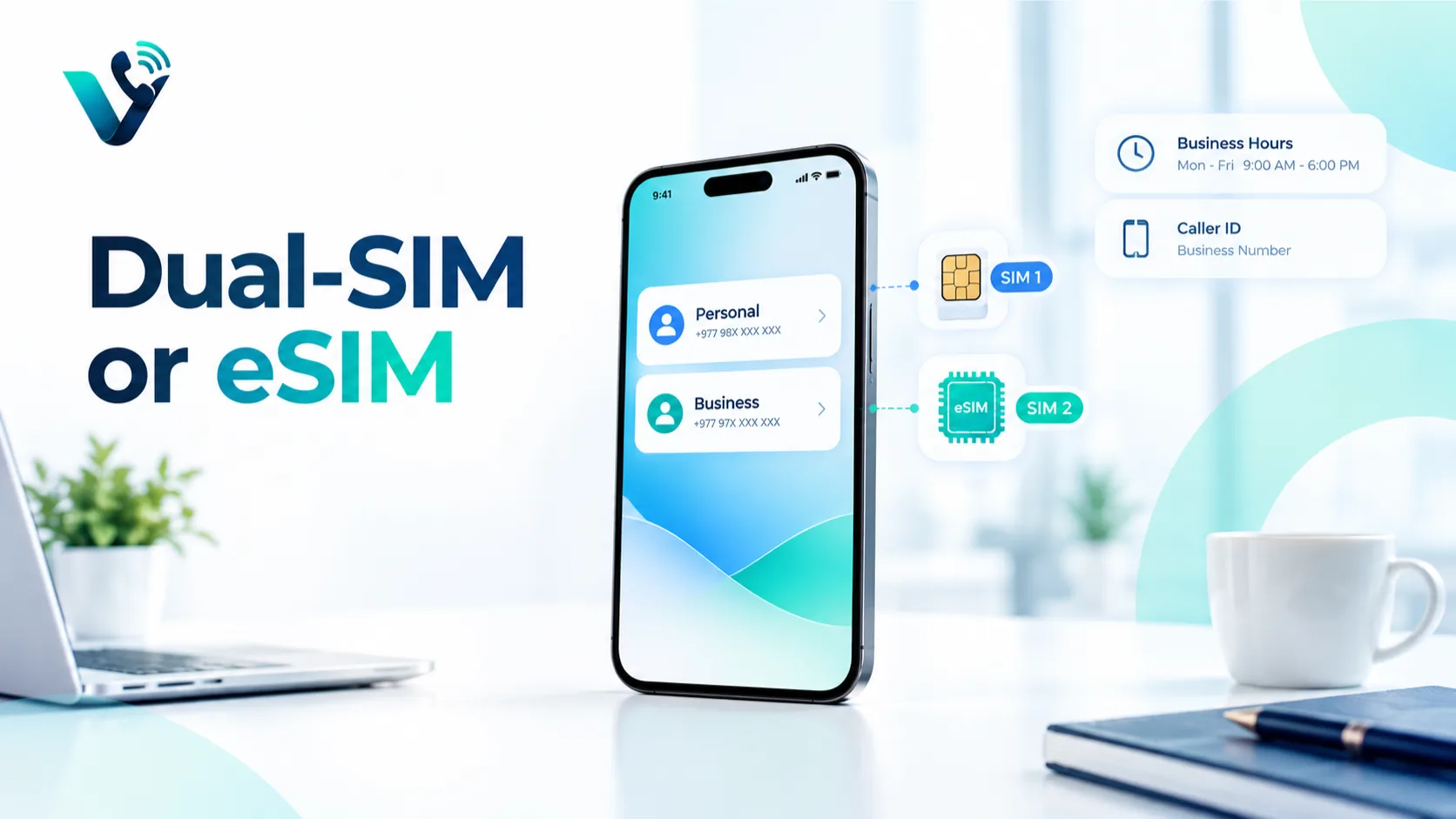
Option 3: Forwarding to the phone you already use
A third model gives you a public business number and forwards incoming calls to your existing mobile. This reduces setup friction and can be enough for a very small business. However, basic forwarding can create confusion if the phone does not clearly show which business number the caller dialled.
Outbound calling matters too. If you return the call using the normal phone dialler, your personal number may appear unless the service supports business caller ID. Test the full loop receive, return, voicemail and missed-call recovery before publishing the number.
Inbound and outbound identity must match
A second number is only useful if customers experience it consistently in both directions. Incoming calls may reach the business app correctly, but a callback can accidentally leave through the personal SIM if the user taps the wrong contact or dialler.
Create a default business callback workflow. Use the business app for client contacts, verify which caller ID is displayed, and train anyone sharing the line to return calls through the same system. Test calls to several networks because presentation can vary by carrier and country.
Protecting evenings and personal time
Separation should reduce interruption, not create another channel that rings all night. Set published business hours, use a dedicated greeting and decide what happens after hours. Routine calls can go to voicemail or callback booking, while genuinely urgent customers can have a separate escalation route if your service agreement provides one.
A distinct ringtone or notification category can help you recognise business calls before answering. More importantly, stop publishing the personal number as a universal backup. Once customers have it, the boundary disappears.
Security and account recovery
Treat the business number as an asset. Enable multifactor authentication on the calling platform, use a company-owned admin email, document billing ownership and remove access promptly when staff or contractors leave. Keep recovery codes somewhere separate from the phone itself.
Be cautious about using a virtual number as the only recovery factor for banks or third-party services. Some platforms reject VoIP or virtual ranges for verification, and losing access to the calling platform could then affect unrelated accounts.
Migrating away from a personal number
If customers already know your personal mobile, introduce the new business number deliberately. Put it on new proposals, signatures and invoices first. Tell active clients that it is now the preferred contact. Keep monitoring the old line during a transition period rather than changing everything overnight.
Update your website, directory listings, social profiles and automated templates. Search the old number online to find forgotten references. The goal is not to make the personal number unreachable; it is to stop creating new business dependency on it.
What to check before choosing the number
Check number type, country availability, SMS support if needed, emergency-calling limitations, caller-ID behaviour, portability, business-hours routing and whether multiple users can share the number. International numbers may require identity documents, business registration or local address evidence.
Also ask what happens if you leave the provider. A second phone number for business can become part of your brand identity, so retention and portability should be understood before it appears on contracts, packaging or long-term advertising.
A simple setup for a solo business
Start with one business number, one voicemail greeting and two routing states: open and closed. During working hours, ring your app or mobile. Outside hours, send callers to voicemail or a callback workflow with a clear expectation. Add an assistant, shared inbox, queue or CRM logging only when real demand justifies it.
A second number should make your working day cleaner, not create another device to charge and another inbox to check.
Second number versus separate work profile
Some phone operating systems let users create separate work profiles or app containers. That helps separate contacts and notifications, but it does not create a new public telephone identity by itself. A second phone number solves a different problem customers can call a business identity that does not expose the private line.
The strongest setup often combines both ideas. Use a dedicated business number plus a work profile or business app so calls, messages, contacts and notifications stay grouped. This reduces the chance of replying from the wrong account or mixing client details with personal communication.
Choosing local, mobile or toll-free
The second number does not have to look like a mobile number. A local geographic number can suit a regional service business; a mobile-style number may suit a consultant; a national or toll-free number may fit a company serving customers across a wider area. The right format depends on how customers perceive numbers in that market.
Check pricing for inbound and outbound calls, message support, caller-ID display, emergency-calling limitations and any identity or address rules. Number type affects more than appearance.
Try this on your own numbers
Local numbers in 118 countries, AI call notes and one shared inbox. Live the same day, no contract.
When a second number becomes a team number
The moment a second person needs access, the architecture matters. With a cloud number, calls can move from one owner to a ring group, queue or shared inbox without changing what customers dial. With a device-bound carrier line, sharing may require call forwarding or handing over the physical SIM.
If growth is likely, choose a platform where access is permission-based. The company should own the number and be able to add or remove users independently of any employee’s personal handset.
Where Votelly fits
Votelly can sit behind the public number as the cloud business-calling layer for routing, team access and call management. Keep product-specific claims aligned with the features currently available in your Votelly account and use the live product pages as the source of truth before publishing.
Frequently asked questions
- Can I have two phone numbers on one phone?
- Yes. You can use dual-SIM/eSIM or a virtual business number delivered through an app on the same phone.
- Will clients see my personal number?
- Not if your business calling service supports outbound calls using the business caller ID. Test this before publishing the number.
- Is a virtual number the same as an eSIM?
- No. An eSIM is a carrier line stored digitally on the phone. A virtual number can route through software and is not tied to one physical SIM.
- Can a second business number ring multiple people?
- A cloud business number often can, depending on the provider and plan. A standard second SIM is usually tied to one device.
- Can I use a second number for verification codes?
- Support varies by service, number type and country. Do not assume every virtual number will be accepted by third-party verification systems.
- Can I keep the number if I change providers?
- Possibly. Number portability depends on jurisdiction, provider and number type, so confirm before committing to the number.