Logging calls to the CRM automatically and killing admin time
By Jamila Parker · · 9 min read

Automatic CRM call logging should remove repetitive admin without creating noisy data. Learn what to capture, how to match calls to records and where humans still add context.
Key takeaways
- Automatic CRM call logging should capture objective call facts by default and ask reps only for the context automation cannot reliably infer.
- The most important design problem is record matching: a perfectly logged call is still useless if it lands on the wrong contact or account.
- Use structured dispositions and next actions so call data can drive follow-up instead of becoming a passive activity timeline.
- Design for exceptions such as unknown numbers, duplicate contacts, shared company lines, failed syncs and calls that involve more than one record.
- Measure admin time saved together with data completeness, matching accuracy and follow-up reliability not just the number of calls logged.
Logging calls to the CRM automatically sounds like a small convenience until you calculate what manual logging does to a sales day. After each conversation, the rep opens the contact, creates an activity, types the time, chooses an outcome, adds notes, updates the deal and creates a follow-up task. Even when each step takes only a few minutes, the interruption repeats after every call and encourages people to postpone updates until the end of the day.
Automatic call logging changes the workflow by making the phone system and CRM share the same event. The call itself supplies objective data who called whom, when, how long the call lasted and which business number was used. The CRM adds account, deal and lifecycle context. The rep should then contribute only the parts a system cannot know with confidence, such as whether the buyer is qualified, what objection mattered and what was promised next. Salesforce and HubSpot both document forms of automatic call logging in their CRM ecosystems, and Salesforce's current sales research continues to identify manual data entry as a material productivity burden. The opportunity is real, but only if the integration is designed for clean data rather than maximum data.
Start by separating facts from judgement
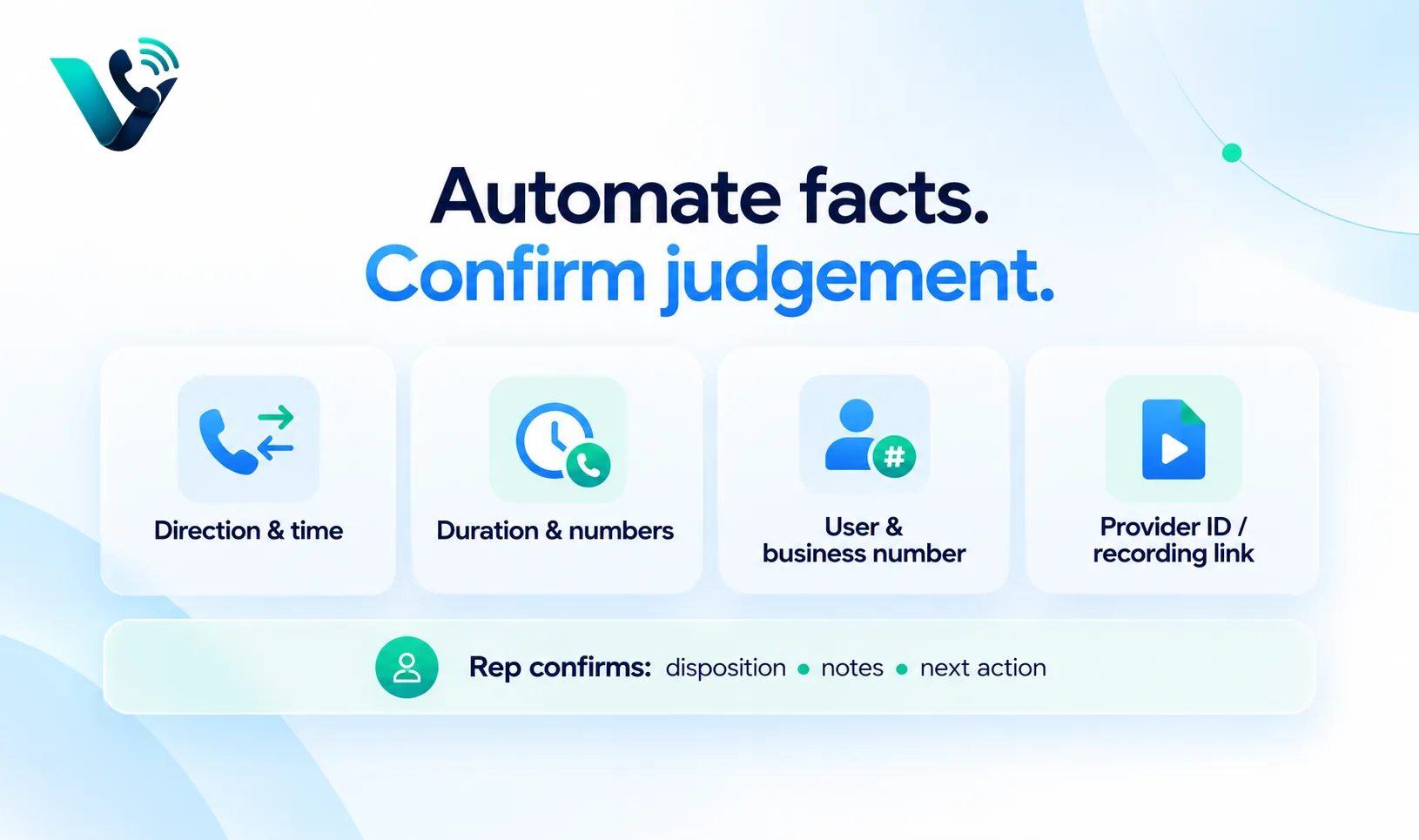
Automatic CRM call logging works best when objective fields are captured without rep effort. That usually includes call direction, start time, duration, caller and called numbers, user, business number, provider call ID and recording or transcript link where lawful and available. These values should not depend on somebody remembering to enter them correctly.
Judgement fields are different. A system may summarise a call, but the sales process still needs a controlled outcome such as no answer, connected - nurture, callback requested, meeting booked or opportunity created. The rep can confirm the disposition in a few seconds. That is a much smaller task than writing the entire activity from scratch.
Record matching is the core integration problem
The technical act of creating an activity is easy. Matching it to the right record is harder. A phone number may exist on a contact, lead, account and support ticket. A company switchboard may be shared by several people. A prospect may call from a personal mobile that the CRM has never seen. International formatting can make the same number appear different.
Build a matching hierarchy instead of one guess. Normalise the number to an international format, check direct contact matches first, then approved secondary fields, then company-level numbers. If there is no confident match, create an unassigned call event or review queue rather than attaching the call to the wrong person. Wrong associations are worse than incomplete ones because they pollute customer history silently.
Design the call log as a useful sales object
Field |
Capture method |
Why it matters |
|
Call direction and timestamp |
Automatic |
Creates reliable activity history |
|
Business caller ID / Number used |
Automatic |
Shows market and campaign identity |
|
Contact/account match |
Automatic with confidence rules |
Connects the call to customer context |
|
Disposition |
Rep-confirmed structured field |
Drives reporting and next action |
|
Summary or notes |
AI draft plus rep edit where used |
Preserves commercial context |
|
Next action and due date |
Automatic from disposition or rep confirmation |
Prevents follow-up from being forgotten |
|
Recording/Transcript link |
Automatic where lawful |
Supports coaching and review |
The log should be readable in seconds. A manager should not need to open a transcript to understand whether the call connected, what happened and what comes next. Detailed recordings and transcripts are valuable evidence, but the CRM timeline still needs a compact structured result.
Use dispositions to turn logging into workflow automation
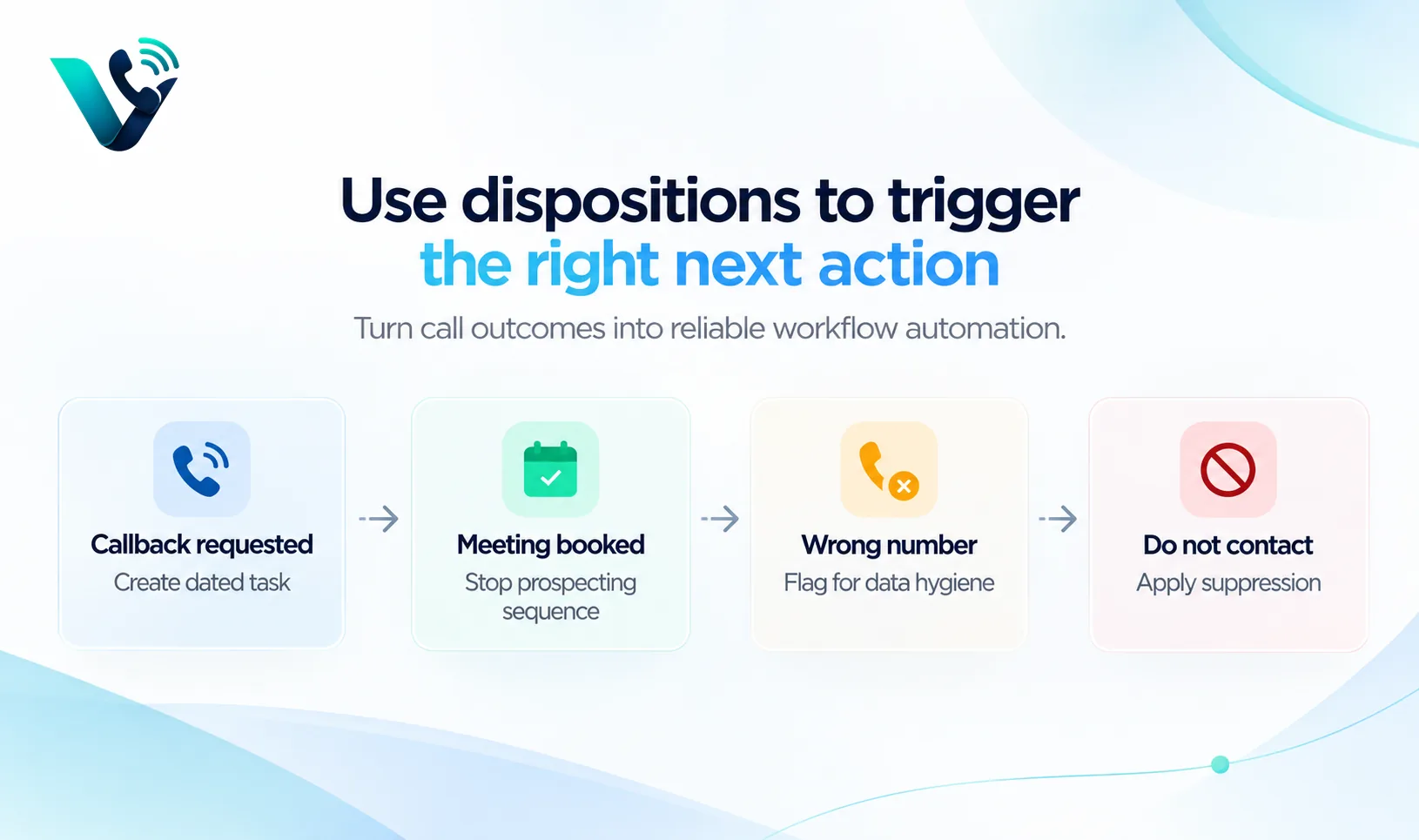
Call logging saves admin time; disposition-driven automation saves follow-up time. If a rep chooses "callback requested", the CRM can create a dated task. "Meeting booked" can stop the prospecting sequence. "Wrong number" can flag the contact for data hygiene. "Do not contact" can trigger suppression. "Opportunity created" can update the appropriate sales stage or notify the account owner, depending on the organisation's process.
The rule is simple: Automate only where the outcome is clear enough. A vague disposition such as "interested" may not justify a major stage change. Use it to create a review task instead. The purpose is reliable automation.
Do not let AI summaries become the source of truth by accident
AI-generated notes can reduce writing time, but a summary should be treated as a draft unless the workflow has strong controls. Names, numbers, technical terms, prices and commitments can be misunderstood. Give the rep a quick review step for important fields and keep the original transcript or recording available where permitted.
For reporting, structured fields should remain separate from narrative summaries. A dashboard should calculate meetings booked from the disposition or meeting object, not from whether an AI summary happens to contain the phrase "booked a meeting". This separation makes analytics more stable and gives the team a clear place to correct mistakes.
Handle unknown numbers and duplicate records deliberately
Inbound calls expose data gaps. A known customer may call from a new mobile. A prospect may use a switchboard. A partner may call about several accounts. Instead of dropping those calls or creating random contacts automatically, route unmatched calls to an assignment workflow. The rep can identify the person during or after the call and connect the activity to the right record.
Duplicates need a similar safety rule. If the same phone number belongs to two CRM records, the integration should not pick one invisibly. Surface the ambiguity, let the rep or ops process resolve it, then feed the correction into list hygiene. Automatic logging becomes a useful data-quality sensor when exceptions are visible.
Design for sync failures before launch
Every integration eventually experiences authentication expiry, API limits, field mapping changes or temporary service failure. A robust automatic call logging system queues unsynced events and retries them with an idempotent provider call ID so the same call is not written twice. It should also expose a failure dashboard rather than silently dropping activity.
Create reconciliation checks. Compare the number of calls in the phone platform with the number of CRM call activities for the same day. A small difference may be expected because of internal or test calls, but a sudden gap should trigger investigation. The point of automation is reliability; invisible missing data defeats the purpose.
Privacy, recordings and access still need policy
Automatic logging can move sensitive information into the CRM quickly, so access control matters. Not every user who can see a contact should automatically have access to call recordings or full transcripts. Define who can access them, how long they are retained and whether specific teams or markets require different settings.
Keep the call log useful even when recording is disabled. Direction, duration, disposition, summary and next action can still create a strong activity history. The integration should degrade gracefully rather than treating recording as a prerequisite for CRM visibility.
Measure the admin time you actually removed
After launch, do not celebrate simply because 100 percent of calls now create activities. Measure whether the workflow reduced rep work and improved data. Time a sample of manual logging before the change, then compare the new after-call workflow. Track percentage of calls auto-matched, percentage needing manual reassignment, disposition completion, follow-up task creation, duplicate logs and sync failures.
Also ask managers whether reporting improved. Automatic call logging should make it easier to answer who was contacted, what happened and what is due next. If the CRM contains more call records but still lacks outcomes, the team automated storage rather than sales operations.
A practical rollout for logging calls to the CRM automatically
Pilot the integration with one sales pod and one CRM pipeline. Map fields first, then test outbound, inbound, transferred, unanswered, voicemail and unknown-number scenarios. Verify that the correct contact opens during the call and that the activity lands on the correct record after it ends. Test what happens when the rep refreshes the page, changes device or loses network connectivity.
Once the event data is stable, add dispositions and next-action automation. Only after the team trusts the logs should you layer in AI summaries, recordings, coaching analytics or more complex workflow triggers. Reliability before richness keeps adoption high.
Try this on your own numbers
Local numbers in 118 countries, AI call notes and one shared inbox. Live the same day, no contract.
A 30-day automatic call logging rollout
Days 1-5: Map the data model. Decide which objective fields come from the phone system, which fields require rep confirmation and which CRM objects receive the activity. Define the unique call ID before any automation goes live.
Days 6-10: Test matching. Use known contacts, duplicate contacts, company switchboards, new mobile numbers and international formats. Measure false matches separately from unmatched calls; a wrong match is the more dangerous error.
Days 11-20: Add outcomes and next actions. Introduce a short disposition list and automate only the obvious consequences such as callback tasks, sequence stops and wrong-number review. Keep AI summaries in draft mode until reps trust the transcript quality.
Days 21-30: Measure adoption and reliability. Reconcile calls against CRM activities, inspect sync failures, compare after-call admin time and ask managers whether pipeline history is easier to understand. Expand only after the pilot data is stable.
How this fits with Votelly
Votelly's current product messaging includes automatic call logging, CRM sync, transcripts and AI summaries alongside its dialling features. For a sales team, the best implementation is to make Votelly the call event source and the CRM the commercial system of record. The rep should not have to type the same call twice.
Use www.votelly.com to review the live integration options for the CRM you use. Then design the field map, matching logic, dispositions and exception queue before enabling automation across the whole team.
Frequently asked questions
- What does automatic CRM call logging capture?
- Typically call direction, time, duration, numbers, user and a provider call ID. Better workflows also capture a structured disposition, notes or summary, next action and recording/transcript links where permitted.
- Can calls be matched to the wrong CRM contact?
- Yes, shared numbers, duplicate records and formatting differences can create ambiguity. Use normalisation and confidence-based matching, with a review queue when the match is uncertain.
- Should AI summaries update CRM fields automatically?
- Only for fields where the organisation accepts the confidence and risk. Important commercial commitments and structured outcomes should usually be confirmed or governed by clear rules.
- What happens to calls from unknown numbers?
- Create an unmatched call event or assignment queue, then let the rep link it to an existing record or create a new one after identity is known.
- How do I know automatic logging is working?
- Reconcile phone-platform call counts with CRM call activities, monitor sync failures, duplicate logs, match accuracy, disposition completion and time saved on after-call admin.
- How can Votelly fit into CRM call logging?
- Votelly can act as the calling layer and sync call activity to supported CRMs. Confirm the live integration, field mapping and recording behaviour for your plan before publishing detailed workflow claims.