Automatic CRM notes: Getting clean data without rep effort
By Jamila Parker · · 8 min read

Automatic CRM notes can remove after-call admin and improve CRM hygiene, but only when summaries, field updates and record matching are designed for accuracy.
Key takeaways
- Separate raw transcript evidence, narrative summaries and structured CRM fields.
- Automate low-risk fields first and require approval for pipeline-changing updates.
- Attach notes to the correct contact or opportunity before optimizing summary quality.
- Use transcript evidence for important facts and suggested field changes.
- Measure correction burden and CRM completeness, not just how many notes AI generates.
Nobody buys a CRM because they want salespeople to become faster typists. Yet many teams still depend on reps remembering to log who called, what was discussed, what the customer objected to, which promise was made, and what happens next. Automatic CRM notes change that workflow by turning the call transcript into a structured record with a summary, decisions, action items, and selected field updates. The opportunity is not merely saving a few minutes of typing. It is creating a more complete dataset without forcing the rep to choose between listening to the customer and documenting the conversation.
The risk is equally clear: Automating bad notes creates bad CRM data faster. A summary can sound polished while missing the decision-maker, confusing a deadline, inventing certainty, or attaching the call to the wrong record. The goal should therefore be clean automation, not zero human involvement. The best systems automatically capture what is safe, show evidence for important updates, and ask for review where the consequence of an error is meaningful.
Separate the call record into three layers
Layer |
What belongs here |
Automation approach |
|
Raw evidence |
Recording, transcript, timestamp, participants, number, duration. |
Capture automatically and preserve as the source record. |
|
Narrative summary |
Purpose, discussion, objections, decisions, next steps. |
Generate automatically; allow quick correction. |
|
Structured CRM fields |
Stage, next-step date, budget, owner, disposition, product interest. |
Auto-write low-risk fields; require approval for high-impact changes. |
This separation solves a common data problem. The transcript is evidence, the summary is an interpretation, and CRM fields drive automation and reporting. They should not be treated as equally certain. If an AI summary says 'customer may revisit in Q1', that does not automatically mean the opportunity close date should move to January. A structured update needs a stronger rule or explicit confirmation.
What automatic CRM notes should capture every time
- Call purpose: Why the conversation happened and which account or opportunity it belongs to.
- Key facts: Requirements, constraints, product areas, timelines, quantities, locations, or support context discussed.
- Decisions: What the customer and rep explicitly agreed or rejected.
- Objections and risks: Pricing, timing, competitor, technical blocker, authority, or internal process.
- Next step: Action, owner, due date, and whether a meeting or callback was scheduled.
- Customer language worth preserving: Short phrases that reveal priority or buying intent, linked back to the transcript rather than copied without context.
Do not turn the summary into a transcript rewrite
A useful CRM note is compressed. It should help the next person understand the account in under a minute. Copying every detail from the transcript defeats the purpose and makes the CRM harder to scan. Design the summary around decisions and future action. What changed because of this call? What does the team know now that it did not know before? What promise must not be forgotten?
Different teams need different summary templates. A sales discovery call may emphasize pain, current process, stakeholders, timing, objections, and next step. A customer-support call may emphasize issue, troubleshooting performed, resolution, promised follow-up, and case status. A recruitment call may need role fit, availability, compensation range, location, and interview action. One generic AI summary template will produce generic notes.
Field mapping is where clean data is won or lost
Automatic CRM notes become operational when they update structured fields. That is also where mistakes can trigger workflows, forecasts, notifications, or lifecycle changes. Build a field policy that says which values can be written automatically, which should be suggested for approval, and which should remain human-only.
CRM field |
Recommended policy |
Reason |
|
Call disposition |
Auto-write when the taxonomy is narrow and clearly detected. |
Low consequence and useful for reporting. |
|
Next-step task |
Auto-create when owner and due date are explicit. |
Prevents promises from disappearing. |
|
Contact role/title |
Suggest for review if inferred from conversation. |
A plausible inference may still be wrong. |
|
Opportunity stage |
Require confirmation unless the stage change is tied to a deterministic event. |
Stage affects pipeline reporting and automation. |
|
Budget/timeline |
Suggest with transcript evidence. |
Nuance and uncertainty matter. |
|
Do-not-contact or consent fields |
Use only explicit rules and compliant source events. |
High consequence and governance-sensitive. |
Evidence beats confidence
HubSpot's current conversation-intelligence workflow shows a useful pattern: AI can suggest CRM updates and let the rep inspect the transcript moment that produced the suggestion before approving, editing, or rejecting it. That evidence-first design is stronger than showing a confident field value with no explanation. It makes corrections fast and creates trust because the user can verify the model without replaying the entire call.
For automatic CRM notes, preserve timestamps or transcript links for important claims such as budget, decision date, competitor, and next meeting. The purpose is not to make the CRM look forensic. It is to make high-value updates auditable when someone later asks, 'Where did we learn this?'
Attach the note to the right record first
A perfect summary on the wrong contact is still bad data. Record matching should use phone number, authenticated identity, CRM context, account ownership, and any explicit record selected by the rep. When the match is ambiguous, create a review queue instead of guessing. The system should never silently attach a strategic customer call to a duplicate lead because the numbers look similar.
- Deduplicate phone formats and normalize country codes before matching.
- Prefer an existing active account or open opportunity when the call context supports it.
- Flag multiple possible matches rather than choosing based on weak confidence.
- Preserve the original caller number and dialled business number in the activity record.
- Make reassignment simple so operations teams can repair mistakes without editing raw history.
Quality control without bringing the admin work back
Requiring reps to fully rewrite every AI note defeats the purpose. Use lightweight review. Show a compact summary immediately after the call with three actions: Accept, edit, or flag. Highlight only the structured updates that will change pipeline or trigger workflow. If the summary is accurate, the rep can move on in seconds. If it is wrong, the correction becomes useful evaluation data for the model and template.
Managers should audit samples rather than every record. Review calls across teams, languages, campaigns, and audio conditions. Measure missing next steps, incorrect facts, wrong record attachment, field-update rejection rate, and the amount of rep editing required. The best automation has a low correction burden, not simply a high generation rate.
Governance: Notes contain customer data
Recordings, transcripts, summaries, and CRM notes can contain personal or sensitive information. Define role-based access, retention, deletion, and where data is processed. The automatic-note workflow should respect the same permissions as the underlying customer record. Do not make a transcript broadly searchable to people who would not normally have access to the account simply because the AI feature makes search easy.
Practical note: The cleanest CRM is not the one with the most captured text. It is the one where every important field has a clear source, owner and reason to exist.
How Votelly supports automatic CRM notes
Votelly's public product pages make this topic unusually concrete. The AI call summaries page lists live transcription, summaries, sentiment signals, and CRM attachment. The integrations page says calls, recordings, transcripts, and AI summaries sync to the right record in HubSpot, Salesforce, Pipedrive, Zoho, Zendesk, Intercom, and other systems through native integrations, API, and webhooks. For sales teams, that is the core of an automatic CRM notes workflow: Capture the conversation once and remove a second manual documentation step.
The editorial opportunity is to go beyond 'AI saves time.' Explain how teams should design the data model around Votelly: Decide what the summary template needs to capture, map only meaningful fields, keep evidence available, and measure correction rate. That makes the article useful to RevOps and sales leaders who care about CRM hygiene, not just AI novelty.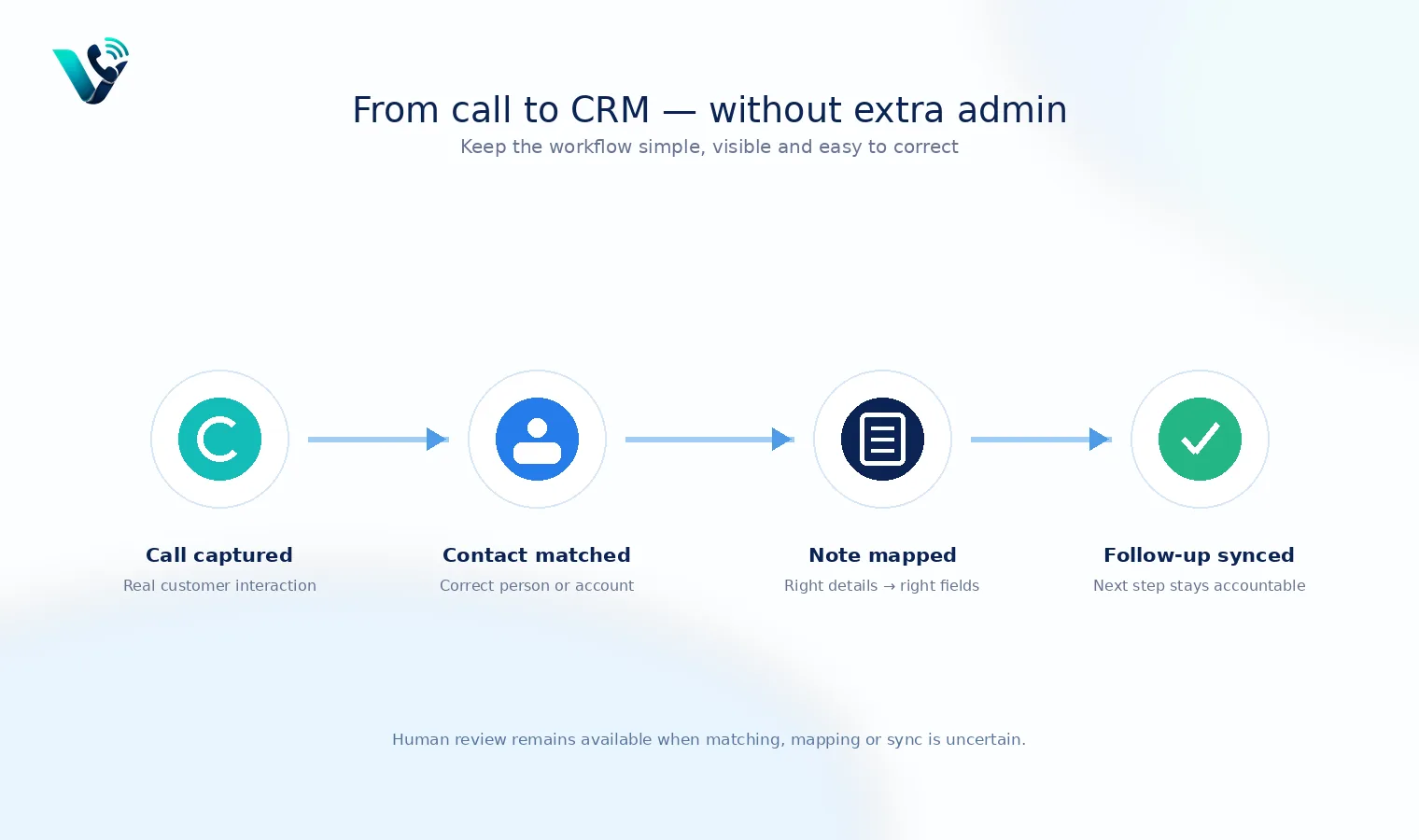
A 30-day rollout for clean notes
Week one should be observation: Enable transcription and summaries for a small team, but do not automate high-impact fields. Compare AI notes with what reps would normally log. Week two should add low-risk automation such as call activity, disposition, and next-step tasks when explicit. Week three should introduce suggested field updates with evidence. Week four should audit data quality, correction time, missed follow-ups, and rep adoption. Expand only when the CRM is cleaner and the team spends less time fixing the automation than it used to spend writing notes.
Try this on your own numbers
Local numbers in 118 countries, AI call notes and one shared inbox. Live the same day, no contract.
One final data rule: Never hide uncertainty
When the model is unsure whether a date, amount, role, or next step was stated explicitly, preserve that uncertainty instead of turning it into a confident CRM value. A blank field with a review flag is cleaner than a plausible but wrong forecast input.
The standard to aim for
Automatic CRM notes are successful when the rep can stay present during the call, the next person can understand the conversation without chasing context, and the CRM becomes more complete without becoming less trustworthy. The winning system does not eliminate every human click. It puts human attention only where judgement is valuable. Capture evidence automatically, summarize consistently, update low-risk fields confidently, request approval for consequential changes, and keep the entire chain auditable from call to CRM.
Frequently asked questions
- What are automatic CRM notes?
- Automatic CRM notes use call recordings or transcripts to generate a summary, decisions, action items and sometimes structured CRM updates without requiring the rep to type the full record manually.
- Should AI automatically change opportunity stages?
- Usually only when the stage change is tied to a deterministic event. Otherwise, suggest the change with evidence and require a rep or manager to confirm it.
- What should an automatic call summary include?
- A useful summary captures call purpose, key facts, decisions, objections or risks, and a specific next step with owner and date.
- How do you keep automatic CRM notes accurate?
- Use strong record matching, scoped templates, transcript evidence, lightweight user review and regular audits across representative call types.
- Can automatic CRM notes replace call recordings?
- No. The summary is an interpretation. Keep the recording or transcript as evidence where policy and retention rules allow it.
- How does Votelly support automatic CRM notes?
- Votelly publicly lists live transcription, AI call summaries and integrations that sync calls, recordings, transcripts and summaries into supported CRM and helpdesk systems.