Call disposition codes: how to build a useful list for sales teams
By Jamila Parker · · 11 min read

Good call disposition codes make sales data useful without slowing reps down. Here is how to create a short list people will actually use.
Key takeaways
- Call disposition codes turn sales calls into structured CRM data, making follow-up, sales reporting and coaching easier to manage.
- A useful call disposition codes list should stay short, clearly defined and tied to a meaningful next action.
- Separate the call outcome from the reason when deeper analysis is useful; this keeps sales call dispositions simple without losing reporting detail.
- Use call disposition automation to create callback tasks, stop sequences, move leads into nurture and update CRM stages consistently.
- Review call disposition usage regularly so vague, duplicate or rarely used sales call outcome codes do not weaken CRM data quality.
Call disposition codes are short labels that describe what happened on a sales call and what should happen next. When they are designed well, they make sales activity easier to understand without forcing reps to write long notes after every attempt. A manager can see how many prospects were reached, how many requested a callback, how many were not a fit, how many meetings were booked and where follow-up is getting stuck.
The challenge is that many teams build their call disposition codes list backwards. They start by creating a label for every situation they can imagine, then ask reps to choose between twenty or thirty near-identical options. The result is inconsistent CRM data, slow after-call work and reporting that nobody fully trusts.
For most sales teams, the better approach is to create a small set of sales call disposition codes based on meaningful outcomes. Each code should answer a practical question: did we connect, what was the result, and what action should follow? From there, the CRM or calling workflow can automate the next step while keeping managers informed.
This guide explains how to build a useful call disposition codes list for sales teams, how to avoid common design mistakes, how to connect call outcomes to CRM follow-up, and how to keep the data clean as the team grows.
Why disposition codes matter
Call disposition codes turn unstructured phone activity into data the sales team can actually use. Without dispositions, a report may show that a rep made 80 outbound calls, but it cannot explain whether those calls reached decision-makers, hit voicemail, produced callbacks or created real pipeline.
Good sales call dispositions improve several parts of the workflow at once. Reps know what follow-up is required, managers can compare outcomes across campaigns, CRM records stay more consistent, and coaching conversations can focus on where calls are breaking down rather than on raw activity counts.
They also make lead management more accurate. A prospect marked “callback requested” should not be treated the same as one marked “not interested.” A wrong number should not continue through the same cadence as a verified contact. A meeting booked should move into a different workflow entirely. Call outcome codes give the system the signal it needs to make those distinctions.
For reporting, the value comes from consistency. If one rep uses “interested,” another uses “follow-up,” and a third writes a note instead of choosing a code, the CRM cannot reliably compare results. A controlled disposition list creates a common language for the whole sales team.
Keep the list short
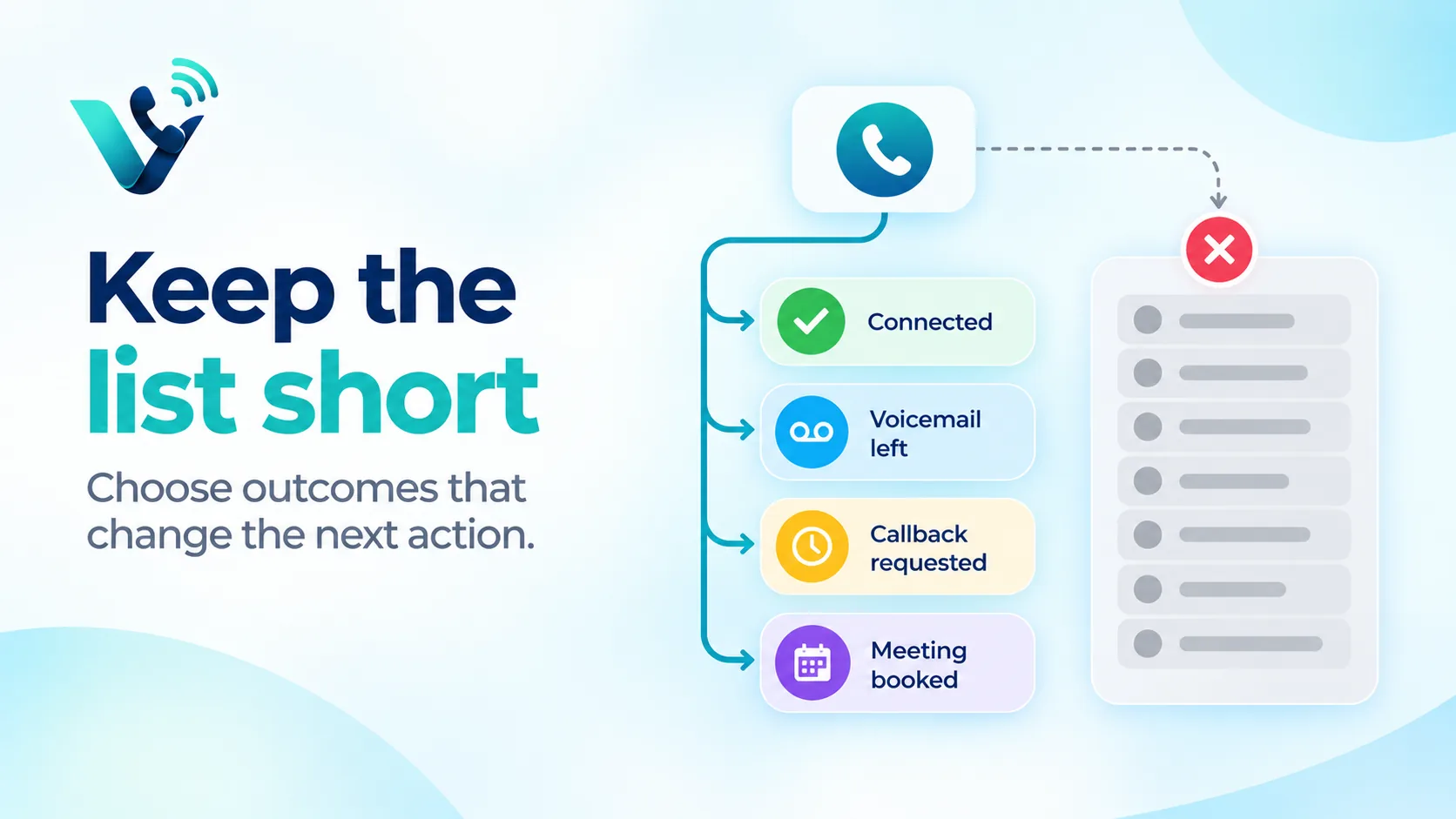
The best call disposition codes list is usually shorter than teams expect. Too many options slow reps down and create overlap between labels. If two dispositions trigger the same next action, they probably do not need to exist as separate primary codes.
Start by grouping outcomes into broad categories such as not reached, connected, follow-up required, qualified, disqualified and do not contact. Then add only the level of detail that will change routing, automation, reporting or coaching.
A practical test is to ask a rep to explain the difference between every pair of similar labels. If the explanation takes more than a sentence, the list is probably too complicated. The ideal sales call disposition should be obvious within a few seconds at the end of the call.
Short lists also improve adoption. Reps are more likely to use dispositions consistently when the options match the real conversations they have every day. That consistency is more valuable than a theoretically perfect taxonomy that nobody follows.
A useful sales list
A practical starter list for outbound sales can cover most everyday outcomes without becoming difficult to use. The exact names can vary, but the meaning of each call disposition code should stay clear.
A useful sales call disposition codes list might include: No answer, voicemail left, wrong number, gatekeeper reached, connected - no fit, connected - nurture, callback requested, referral given, meeting booked, opportunity created and do not contact.
These codes work because each one leads to a different operational decision. “No answer” may stay in the calling sequence. “Voicemail left” may delay the next attempt. “Callback requested” should create a dated task. “Meeting booked” should stop prospecting and move the contact into a scheduled-meeting workflow. “Do not contact” should immediately suppress further outreach.
For inbound sales teams, the list may be slightly different. Useful call outcomes can include qualified enquiry, pricing request, product question, existing customer, support request, spam or irrelevant, follow-up required and sales opportunity created. The principle is the same: Use labels that describe a meaningful sales result, not every detail of the conversation.
Avoid using “other” as an easy escape route. If “other” becomes one of the most common call disposition codes, review the calls inside it. That usually means a real outcome is missing from the controlled list.
Call disposition examples and definitions
Clear definitions prevent different reps from using the same code in different ways. A one-line definition beside each call disposition is often enough. For example, “callback requested” should mean the prospect explicitly asked to be contacted again at a future time, not simply that the rep wants to try again.
“Connected - no fit” should mean a real conversation confirmed that the prospect does not meet the team’s qualification criteria. “Connected - nurture” can mean there is potential interest, but timing or readiness is not strong enough for an active opportunity. “Meeting booked” should require a confirmed date and time rather than a vague agreement to speak later.
Document these definitions in the CRM, sales playbook or onboarding guide. This small step improves call tracking accuracy and makes sales reporting far more reliable when new reps join the team.
Separate outcome from reason
A useful way to keep call disposition codes simple is to separate the primary outcome from a secondary reason. The primary disposition describes what happened. The secondary reason explains why, but only when that extra information is genuinely useful for analysis.
For example, the primary code may be “connected - no fit,” while a secondary reason records “company too small,” “wrong geography,” “no budget” or “not the right use case.” The main sales call outcome stays consistent, while managers still get enough detail to understand why prospects are being disqualified.
The same approach works for lost opportunities or nurture outcomes. A rep can choose one primary call disposition and then select a reason such as timing, competitor, pricing, internal priority or decision-maker unavailable. This is cleaner than creating a separate top-level disposition for every possible reason.
Only collect secondary reasons that the business plans to use. If nobody reviews a field or changes a decision because of it, asking reps to complete it adds friction without improving the CRM.
Automate the next step
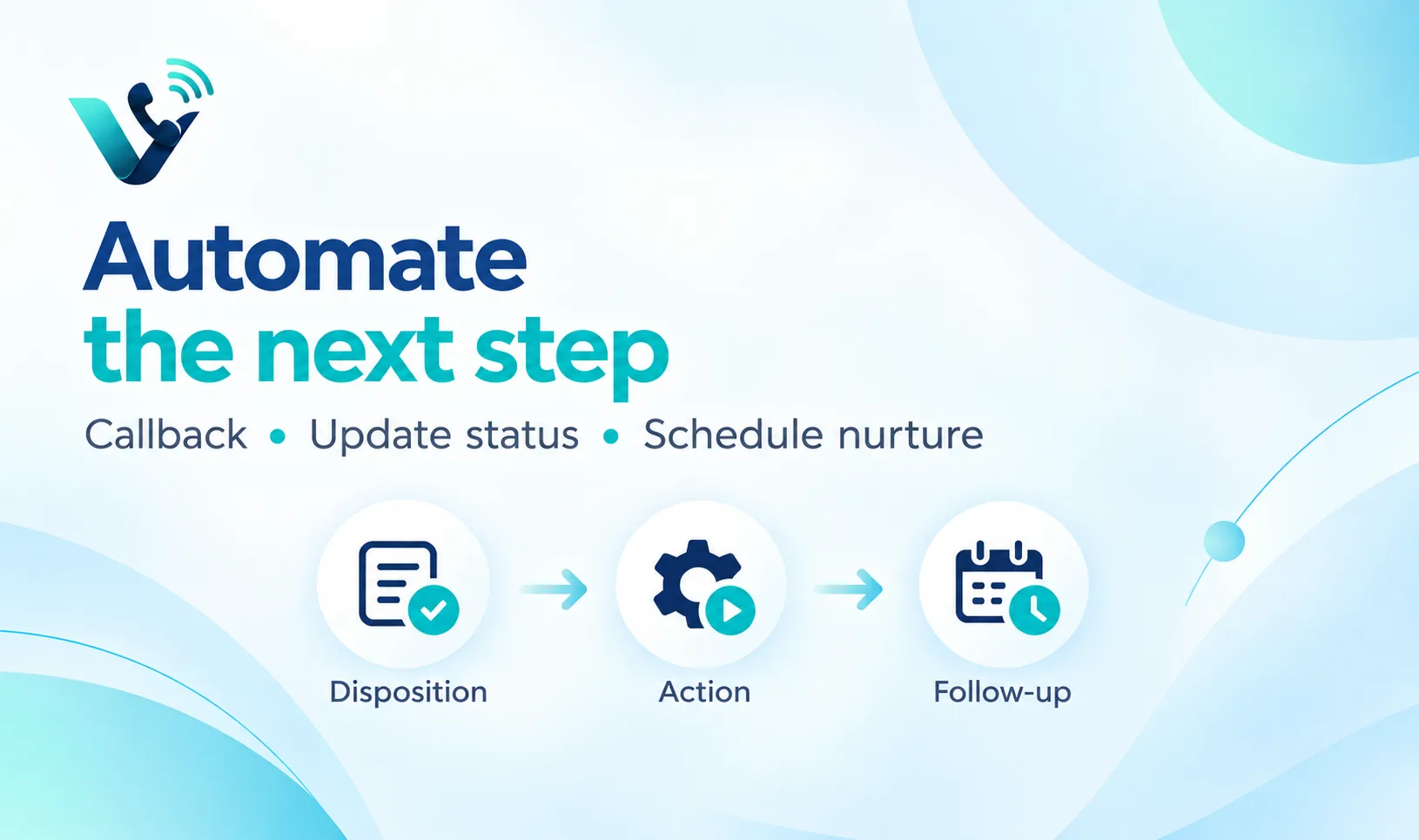
The strongest call disposition codes do more than improve reports. They trigger the next action automatically. This turns call disposition data into a practical sales workflow instead of another field reps have to complete for management.
A “callback requested” disposition can create a follow-up task with a due date. “Voicemail left” can schedule the next attempt after a defined delay. “Meeting booked” can stop the outbound sequence and update the lead or opportunity stage. “Do not contact” can suppress future calling and messaging. “Wrong number” can flag the contact for data cleanup.
Automation also reduces human error. Without it, a rep may correctly record a callback request but forget to create the task. When the call disposition itself launches the next step, the CRM carries the commitment forward automatically.
Keep automation proportional to the certainty of the outcome. High-confidence codes such as do not contact, meeting booked or wrong number can usually trigger direct actions. Ambiguous outcomes may be better used to create a task or suggestion rather than automatically changing major CRM fields.
For teams using a cloud calling platform alongside a CRM, the ideal workflow is that the rep chooses the sales call disposition once and the same outcome is visible in the customer record. That avoids duplicate data entry and gives managers one consistent view of call activity.
How call disposition codes improve sales reporting
Call disposition codes make sales reporting more useful because they add context to activity volume. Instead of asking only how many calls a team made, managers can see what percentage reached a person, what percentage created a next step and which outcomes vary by campaign, rep or lead source.
Useful sales metrics can include connect rate, voicemail rate, callback-request rate, meetings booked per connected call, opportunity creation rate, disqualification reasons and do-not-contact rate. These are much more actionable than a leaderboard based only on total dials.
Disposition data can also reveal list-quality problems. If one campaign produces unusually high wrong-number or no-fit rates, the problem may be the source data rather than rep performance. If gatekeeper outcomes dominate one segment, the team may need better direct-dial data or a different outreach strategy.
For coaching, compare patterns rather than isolated calls. A rep with a strong connect rate but very few meetings may need help with discovery or conversion. A rep with many callback requests but poor callback completion may have a follow-up discipline problem. Call outcome reporting gives managers a better starting point for those conversations.
Audit usage
Review call disposition usage regularly instead of assuming the list will stay useful forever. Sales motions change, campaigns change and reps find shortcuts. A monthly or quarterly audit is enough for most teams.
Look for dispositions that are rarely used, labels that overlap, vague codes that dominate the data and unusual differences between reps. If one salesperson marks half of their calls as “nurture” while everyone else uses more specific outcomes, either the definition is unclear or the workflow is being used inconsistently.
Merge duplicate codes rather than carrying historical clutter forever. If a disposition is retired, map it to the replacement for future reporting where practical. Keep the active list focused on the current sales process.
Audit the automation attached to each code at the same time. A disposition may still be valid while the action behind it has become outdated. For example, a callback code that creates tasks for a former owner or a nurture code that sends contacts into an old sequence can quietly damage follow-up quality.
The goal is not to maximise the number of call disposition codes. It is to maintain a controlled set of sales call outcomes that reps understand, managers trust and the CRM can act on.
Try this on your own numbers
Local numbers in 118 countries, AI call notes and one shared inbox. Live the same day, no contract.
Best practices for implementing call disposition codes
Roll out the disposition list with examples, not just labels. Give reps a one-page reference showing when each code should be used and what happens after selection. This is especially important for similar outcomes such as nurture, callback requested and no fit.
Make the field required only when the rep actually completes or attempts a call. Requiring dispositions on unrelated activities creates noise. At the same time, avoid letting completed calls remain without any outcome because those gaps weaken reporting.
Test the list with a small group of reps for one or two weeks before locking it down. Ask which options feel unclear, which real outcomes are missing and whether any codes take too long to choose. A short pilot usually catches problems faster than designing the list entirely from a manager’s desk.
After launch, compare call disposition data with actual call notes or recordings on a small sample. This helps verify that the selected codes match the conversations and identifies where definitions need refinement.
Finally, connect call disposition codes to sales process ownership. Decide who can add or edit codes, who reviews usage, and who approves automation changes. Without ownership, the list tends to grow until it becomes difficult to use again.
How to connect this topic to Votelly
For Votelly, this topic fits naturally into the sales-calling workflow. A business calling platform can provide the call activity and phone-number layer, while the sales team uses call disposition codes to turn each conversation into a structured outcome. The main website destination for readers is www.votelly.com.
Keep detailed product claims tied to confirmed live Votelly capabilities. The article can still explain the ideal workflow clearly: A rep makes or receives a business call, records the call disposition, and the CRM or connected workflow uses that outcome for follow-up, reporting and customer history.
This article can also support internal links to Votelly content on power dialers, missed call recovery, call recording for coaching, ring groups and call queues. Those topics connect naturally because disposition codes provide the structured outcome data that makes calling activity easier to manage and analyse.
Frequently asked questions
- What is call disposition codes?
- Call disposition codes are predefined labels used to record the outcome of a phone call, such as no answer, voicemail left, callback requested, meeting booked or do not contact. They help sales teams keep CRM data consistent and automate the next step.
- How should a small team start with call disposition codes?
- Start with a short list of roughly 8 to 12 sales call disposition codes that reflect real outcomes. Define each code clearly, connect the important ones to follow-up actions and add new codes only when the existing list cannot describe a recurring outcome.
- What should be measured?
- Measure how often each call disposition is used and what happens after it. Useful metrics include connect rate, callback requests, meetings booked, opportunity creation, wrong-number rate, disqualification reasons and do-not-contact rate.
- How often should the setup be reviewed?
- Review call disposition codes monthly or quarterly. Merge duplicate labels, clarify vague definitions, retire unused codes and confirm that any attached CRM automation still matches the current sales process.
- Can automation replace human ownership?
- Automation can create tasks, stop sequences, update lead status and trigger follow-up from a disposition, but reps still need to choose the correct call outcome and managers need to maintain the rules behind the workflow.
- How can Votelly fit into the workflow?
- Votelly can be positioned as part of the business-calling layer around the sales workflow. Where live integrations and features support it, call activity can work alongside CRM disposition data to improve follow-up and reporting. Use www.votelly.com as the primary brand destination.