What Is a Shared Inbox for Phone Calls?
By Jamila Parker · · 9 min read

A shared inbox for phone calls gives teams one place to manage call history, notes, ownership, callbacks and customer context.
Key takeaways
- A shared inbox for phone calls gives teams one central place to manage call history, ownership, notes, callbacks, and customer context.
- Notes, tags, search, and filters help teams preserve context and quickly find unresolved conversations.
- Shared inboxes are especially useful for sales, support, and service teams where several people may interact with the same customer.
- A shared inbox does not replace call routing; routing directs the call, while the inbox manages what happens before and after the conversation.
- Teams should also set clear permissions, response targets, note standards, and privacy rules to keep the workflow organised and secure.
A shared inbox for phone calls is a central workspace where a team can review call activity, assign ownership, add notes, schedule callbacks, and keep customer context visible. It brings the shared-inbox idea from email and messaging into voice communication.
The biggest value is not that several people can see a call log. The value is that the team can turn a call into an organised workflow. Someone owns the next step, notes explain what happened, unresolved conversations stay visible, and managers can see whether callbacks are being completed.
For sales, support, and service teams, a shared inbox for phone calls can reduce duplicate callbacks and forgotten follow-ups. It can also make handovers easier when the person who answered the first call is not the person who handles the next step.
What a shared inbox for phone calls actually does
Traditional call history shows that a call happened. A shared inbox adds workflow around that history. The team can see previous attempts, mark an outcome, assign the conversation, add context, and create a callback task.
That difference matters because business calling is rarely finished when the phone stops ringing. A missed call may require a callback. A sales enquiry may need to be assigned. A support conversation may need notes for the next person. Without a shared workspace, those actions can end up spread across personal notes, chat messages, or memory.
A shared inbox for phone calls gives the business one visible place to understand which conversations are complete and which still need attention.
Why teams use a shared phone inbox
Shared visibility is the first reason. When the call history is visible to the team, people do not have to ask who called, whether anyone responded, or whether a callback is still outstanding.
Ownership is the second reason. Assigning a call or conversation makes responsibility clear. Instead of several people assuming someone else will respond, the system can show who owns the next action.
Context is the third reason. Notes and tags help preserve what happened on the call, especially when responsibility moves from one person to another. A short note can prevent the customer from having to repeat the same information.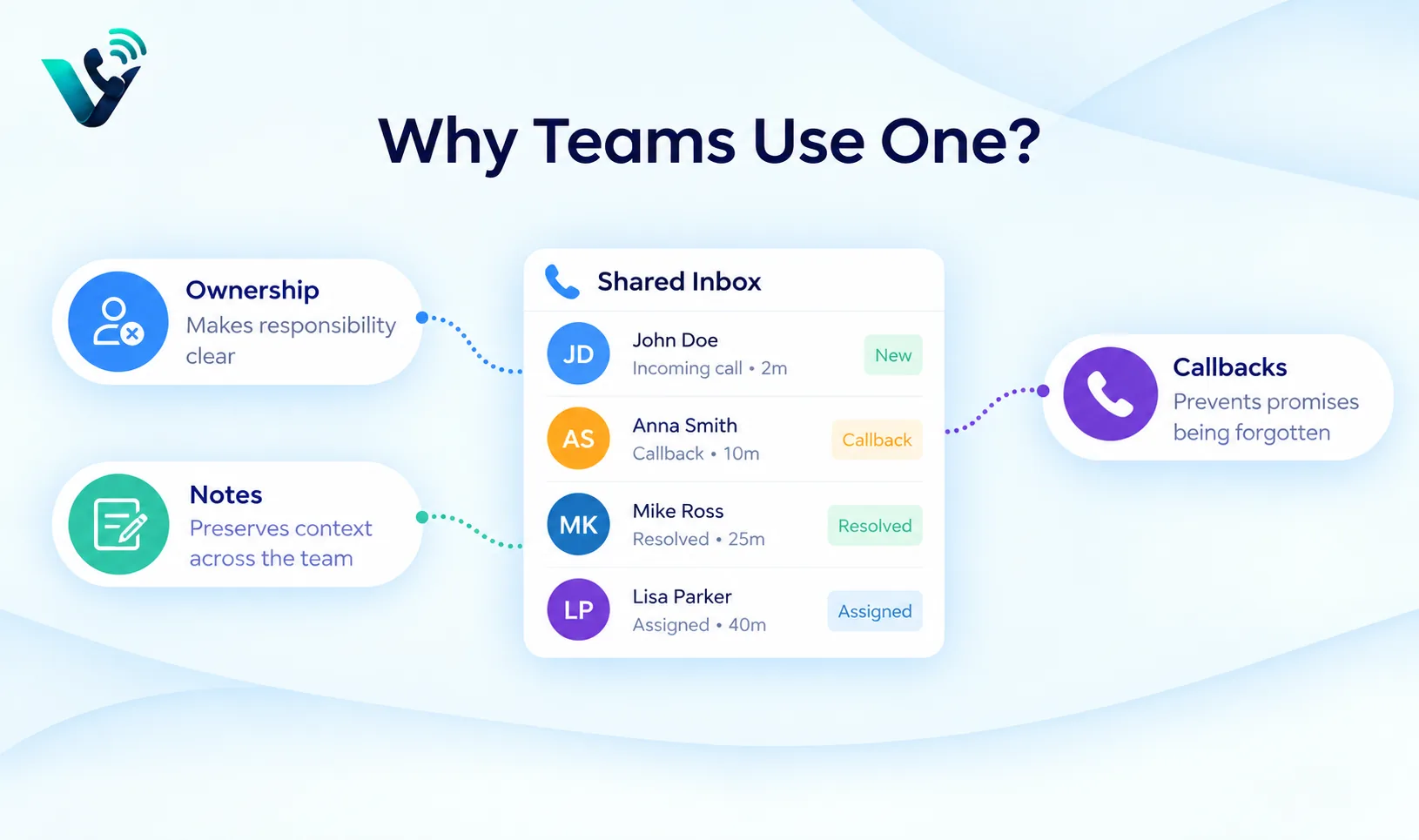
The capabilities a useful shared inbox should include
Capability |
Why it matters |
|
Shared call history |
Shows previous call attempts and outcomes |
|
Assignment |
Makes responsibility clear |
|
Notes and tags |
Preserves context and categorises calls |
|
Callback tasks |
Prevents promises from being forgotten |
|
Search and filters |
Helps find customers and unresolved conversations |
|
Permissions |
Protects sensitive information and limits access |
These are the core workflow elements described in the source. The exact interface and limits vary by provider, but the principle is consistent: a shared inbox should help the team move from call activity to clear ownership and follow-up.
Shared inbox vs ordinary call history
A call log answers basic questions such as who called and when. A shared inbox should answer the operational questions that come next: Has someone responded? Who owns the conversation? What happened previously? Is there a callback due? Is the issue resolved?
That makes the shared inbox for phone calls more useful for teams where several people may interact with the same customer. The record becomes a team resource rather than a private history attached to one user.
For a very small business with one person handling every call, a shared inbox may add less value. As soon as responsibility is distributed, however, shared context becomes more important.
Shared inbox vs voicemail
Voicemail stores a message when a caller cannot reach a person. A shared inbox adds team visibility, ownership, collaboration, and workflow around call activity. The two features solve different problems.
A voicemail can become one item inside the shared workflow. The team can review the message, assign the callback, add a note, and mark the conversation resolved after someone responds.
A shared inbox does not replace good call routing. It works best after the call has been directed to the correct team. Routing determines where the call should go; the inbox helps the team manage what happens before and after the conversation.
How a shared inbox helps sales teams
Sales teams often need to manage missed calls, inbound enquiries, follow-up promises, and callbacks across several people. A shared inbox for phone calls can make those actions visible so opportunities do not disappear when the first person is unavailable.
If a prospect calls and the owner is busy, another team member can see enough context to understand whether the call should be returned immediately, reassigned, or connected to an existing opportunity. Notes reduce the need to rebuild context from scratch.
Managers can also review unresolved sales conversations and response times. The purpose is not to create more administrative work; it is to make the next action obvious.
How a shared inbox helps support and service teams
Support and service workflows often involve repeated contact. A customer may call about an issue, receive an initial response, and need another person to continue the conversation later. Shared history and notes make that handover easier.
Tags can categorise calls by issue type or outcome, while assignment makes responsibility clear. Search and filters can help staff find unresolved calls instead of scanning a long chronological history.
For managers, patterns in the inbox can reveal recurring issues or response delays. If many conversations remain unassigned or callbacks are consistently late, the workflow or staffing model may need attention.
How to set up a shared inbox for phone calls
The source provides five core implementation steps. Expanding them into a practical workflow gives the team a clearer launch process:
- Define which business numbers feed the shared inbox. Keep the scope clear so staff know which calls appear there.
- Create a small set of outcome labels such as resolved, callback, sales opportunity, wrong number, or another category that matches the workflow.
- Set ownership rules by team, shift, or another clear responsibility model.
- Write a short note standard so staff record enough context without turning every call into a long report.
- Set response-time targets for callbacks or unresolved calls and review them regularly.
- Test normal and exception paths, including missed calls, unanswered callbacks, reassignment, and closed-hours activity.
The setup should be simple enough that staff can use it consistently. A shared inbox with twenty status labels and unclear ownership can become harder to manage than the call log it was meant to improve.
Create a clear note standard
Notes are most useful when they capture the information the next person actually needs. A simple standard can include the reason for the call, the outcome, any promise made to the customer, and the next action.
Avoid using notes as a place to copy every detail from the conversation. Too much text makes the important information harder to find. The goal is continuity: someone else should be able to understand what happened and what needs to happen next.
Because call notes may contain personal or sensitive information, the business should also control who can see and edit them.
Ownership prevents duplicate callbacks
Duplicate callbacks are a common team problem. Two people see the same missed call, both assume it needs attention, and the customer receives two responses. The opposite can also happen: everybody sees the call and assumes somebody else will handle it.
Assignment solves both problems by making responsibility explicit. A shared inbox for phone calls should make it easy to see who owns the conversation and whether the task is still open.
Ownership should also have a fallback. If the assigned person is unavailable, the team needs a way to reassign or escalate the conversation rather than leaving it stuck.
Search, filters, and unresolved views
As call volume grows, a chronological list becomes less useful. Search and filters help the team find a customer, a call outcome, an owner, or unresolved conversations quickly.
An unresolved view can be particularly useful because it separates work that still needs attention from completed history. Managers can then review the open workload without reading every call record.
The source also highlights reporting. Response times and recurring issues can show whether the workflow is keeping up with demand.
Privacy, recording, and governance
Call notes and recordings may contain personal or sensitive information. Access should be limited according to role, and the business should define how long records are retained.
Where callers must be informed about recording or data handling, the business should follow the applicable requirements. The provider should document security, access controls, and data handling so the organisation can understand how the system protects information.
Governance should cover both live access and historical records. Not every employee needs access to every conversation, and sensitive notes should not be visible more broadly than necessary.
How to measure whether the inbox is working
- Unresolved conversations: how much work remains open.
- Callback completion: whether promised callbacks are actually completed.
- Response time: how quickly missed calls and enquiries receive a response.
- Ownership gaps: calls that remain unassigned.
- Recurring issue categories: patterns revealed through notes or tags.
The purpose of measurement is to improve the workflow. If response time is poor, the issue may be staffing or routing rather than the inbox itself. If unresolved calls remain high, ownership rules may need to be clearer.
Try this on your own numbers
Local numbers in 118 countries, AI call notes and one shared inbox. Live the same day, no contract.
Common mistakes to avoid
- Treating the shared inbox as only a call-history screen.
- Creating too many statuses or tags for staff to use consistently.
- Leaving calls visible to everyone but owned by nobody.
- Writing notes with no standard for what matters.
- Using the inbox as a replacement for proper call routing.
- Ignoring permissions, retention, privacy, or recording requirements.
- Failing to review unresolved calls and response times after launch.
The biggest mistake is copying a complex setup without checking staffing, privacy, caller experience, and fallback options. The workflow should match the team that will actually use it.
Shared inbox implementation checklist
- Choose which numbers feed the inbox.
- Define a small set of useful outcomes.
- Create ownership rules.
- Set a note standard.
- Configure permissions.
- Define callback and response targets.
- Test missed calls, reassignments, and exception paths.
- Review unresolved conversations and response performance regularly.
Frequently asked questions
- What is a shared inbox for phone calls?
- It is a central team workspace for call activity, ownership, notes, callbacks, and customer context. It applies the shared-inbox idea from email and messaging to voice communication.
- Is a shared phone inbox the same as voicemail?
- No. Voicemail stores a message. A shared inbox adds team visibility, assignment, notes, callback tasks, search, and workflow around call activity.
- Who benefits from a shared inbox for phone calls?
- Sales teams, support teams, small businesses, and contact centres can benefit when several people share responsibility for customer calls.
- Does a shared inbox replace call routing?
- No. Routing gets the call to the correct team; the shared inbox helps the team manage ownership, context, callbacks, and follow-up around the call.
- What should a shared inbox include?
- Useful core capabilities include shared call history, assignment, notes and tags, callback tasks, search and filters, and permissions.
- What should I check before choosing a provider?
- Check whether the provider supports the workflow you need, including shared history, ownership, notes, callbacks, permissions, reporting, security, and any recording or data-handling requirements.